1
WEAPONS AND COUNTERMEASURES
The weapons and countermeasures of your ship are divided into six categories, and
each category has an indicator light that turns on when the system is turned on:
G
FIRE LAS .......... Fires A4 Pulser repeated ly on the targeted ship if it's in
range. The A4 Pu lser is a permanently mounted laser
cannon and is separate from your weapon bays.
H
SHADOW ....... Follows the targeted ship, mirroring its movements. This is
especially useful in conjunction with FIRE LAS.
RADR ECM ...... Attempts to jam the guidance systems of radar guided
missiles.
A
AVIONICS
OP
B
How quickly you can maneuver the ship. This
also affects the computer's ability to Shadow targets.
B
THRUSTER
OP
B
How quickly you can acce lerate the ship.
c
TARGET
OP
B
How quickly the computer can achieve a target lock
on another ship.
D
SPACECOM
OP
B
How well the computer helps the tech decode ship
signatures.
E
EVASIVE
OP
B
How well the computer helps the pilot evade
enemy fire.
VS FLASH ........ Attempts to confuse optically-guided missi les with
powerfu I strobe Iights.
L
To hack some ship software, press the letter of the system to order your technician to
begin hacking that system. Following the name of each system is the operating
efficiency of the system, for example as shown below, OP B means the program is
operating at efficiency rating B.
BOARDING .... Attempts to lock onto and board an enemy ship if it's
within range and has a universal airlock design.
K
The technician can hack the software and try to improve its efficiency. The efficiency
of each system is ranked on a scale of A to H, where A is minimal functioning and H is
highly efficient functioning.
JETCOLOR ....... Attempts to confuse missi les that home in on exhaust
signature by injecting various flammab le chem ica ls into
the drive exhaust.
For more information on ship signatures, see FS. False Signatures. For more information on Missi les and CounterMeasures, see Space Weapons and Countermeasures.
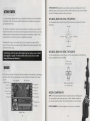
F2. SOFTWARE
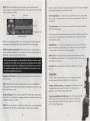
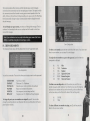
The illustration below shows the Ship Status Pane l in Software mode.
The technician attempts to hack the software of that system to the extent of his or
her abi lity for a length of time. The technician can only hack one system at a
time. After you order the technician to hack a program, the message below the
programs changes. When the technician is done, the message returns to
TECHN ICIAN CODING NOTHING.
Note: If your technician is not very adept at hacking software (Programming Ability) he or she can actually reduce the efficiency of the program.
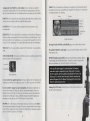
F3. SPACE COMMUNICATIONS
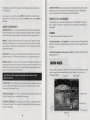
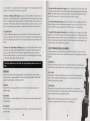
The ill ustration be low shows the Ship Status Pane l in Space Communications
mode.
Ship Software Efficiency
Space Communications
28
29