1
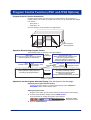
Examples of Control Setup Operation
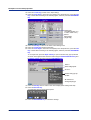
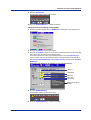
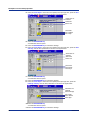
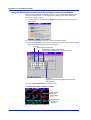
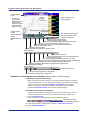
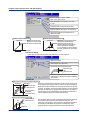
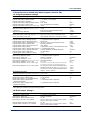
2. Press the #1 soft key (Control action, Input setting).
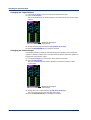
3. Press the arrow keys to move the cursor (blue) to the setup item box, press the soft
key of each value according to the following figure, and press the DISP/ENTER key.
Select Press+Flow
Select 1
Select PVSwitching
Select Signal
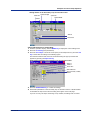
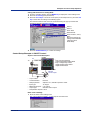
4. Press the ESC key to return to the basic control setting menu.
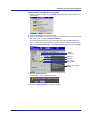
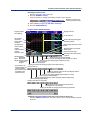
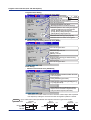
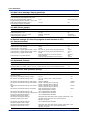
5. Press the #3 soft key (Output processing).
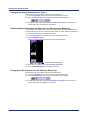
6. Press the arrow keys to move the cursor (blue) to the setup item box, press the soft key of
each value according to the following figure, and press the DISP/ENTER key.
Select 1
Select Current-output
Select 4-20mA
* No need to set
Cycle time
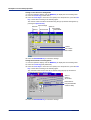
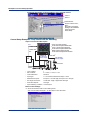
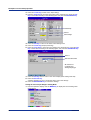
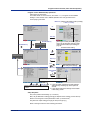
7. Press the ESC key twice to return to the menu display (basic setting mode 2/2).
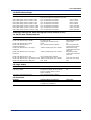
8. Press the End soft key.
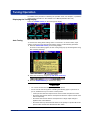
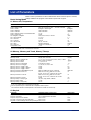
A confirmation window shown below opens.
9. Press the DISP/ENTER key to confirm the settings.
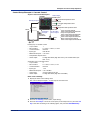
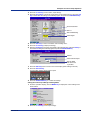
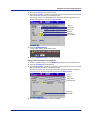
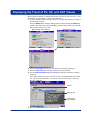
Setting the Control Input Range in Setting Mode
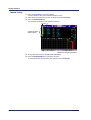
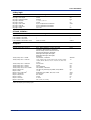
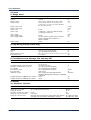
1. From the operation display, click the MENU key to display the control setting menu
shown below.
2. Press the #1 soft key (Control input range).
IM 04L31A01-02E
21