1
Software Installation
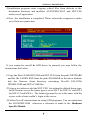
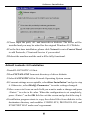
5.Installation program starts copying related files from diskette to the
destination directory and modifies AUTOEXEC.BAT and NET.CFG
under user’s agreement
6.Now, the installation is completed. Please reboot the computer to make
your Netware connection.
If you wanted to install the ODI driver by manual, you may follow the
instructions list below.
1.Copy the files LE100ODI.COM and NET.CFG from the path \NETWARE
and the file LANEN.EXE from the path \ENABLER in the driver diskette
into the Netware client directory containing Novell's LSL.COM,
IPXODI.COM and NETx.COM files.
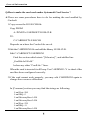
2.Using a text editor to edit the NET.CFG for setting the default frame type.
In the Netware server the frame type is set to 802.3 for NW3.11 and 802.2
for NW3.12 and NW4.x . The frame type must be set to the same with the
server or the client couldn’t login to the server.
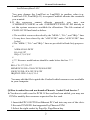
3.Follow Novell's instructions on using ODI programs. You can substitute
the LE100ODI.COM whenever a reference is made to the Hardware
Specific Module.