1
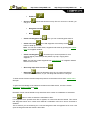
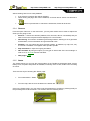
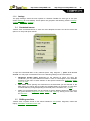
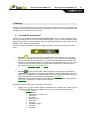
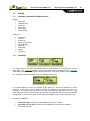
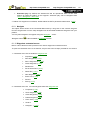
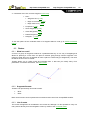
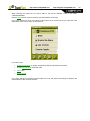
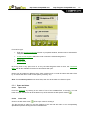
http://www.CompeGPS.com 4.7.1 http://Support.CompeGPS.com Vehicle configuration Next parameters can be configured for each vehicle: Cruise speed: Expected mean speed for that vehicle. This value will determine ‘Estimated time at destinacion (cruise)’ and ‘Estimated time at next (cruise)’ data field. Default ‘Cruise speed’ is: 4.7.2 o Walk: 3km/h o Bike: 15km/h o Car: 80km/h o Boat: 20km/h Draft (only for ‘Boat’): depth to which a vessel is immersed. This value will determine the ‘depth alarms’. Special stuff on ‘Boat’ vehicle Since marine navigation has special needs comparing to terrestrial navigation, when ‘Boat’ vehicle is selected some special changes (in addition to normal changes related to vehicle) will take place: Specific ‘Data fields’ in Data bar and Data pages Specific main menu (specially changing ‘Navigate...’ section) Specific tool bar ‘Man Over board’ command available for main menu and tool bar Different skin Marine units (nautical miles, knots...) Marine charts will be loaded if present, only if ‘Automaps’ option is enabled. Note: Since ‘On-Road’ navigation has no sense in ‘Boat’ vehicle, ‘Off-Road’ mode will be automatically enabled when ‘Boat’ is selected. If ‘On-Road’ tab is pressed, vehicle will be changed to the previously selected in that mode. 4.8 4.8.1 4.8.1.1 Navigation Available commands Onroad/Offroad and Default/Advanced On-Road Default: Autoroute Speed limit Ecocalculator Smoother Tracklog Advanced: 4.8.1.2 WPT Alert Next WPT Off-Road Default: Tracklog WPT Alert 42



































![TwoNav [platform][version]](http://vs1.manualzilla.com/store/data/006158074_1-4953c8fbc289832ee2abb2d845854be3-150x150.png)
![TwoNav [platform][version]](http://vs1.manualzilla.com/store/data/006163237_1-2ed879c8b9cb83b9cbc3a5d3760a7be6-150x150.png)

![TwoNav [platform][version]](http://vs1.manualzilla.com/store/data/006157251_1-7675be9cb70f8b3219e8c9a053e0e011-150x150.png)