1
Installation
In Vista/Windows 7 I receive an error message "pgpass.conf does not exist" when trying to update to
IUCLID 5.2.x. How canI run the update successfully?
Some of our users have reported that when disabling the User Account Contol, this has also enabled
them to install IUCLID 5.2.x successfully.
UAC or User Access Control in Windows Vista/Windows 7 is meant to enhance the security of your
system. Each time an application is installed, an important system change is made by a user or by a
running process, the screen is blacked out and temporarily disabled and a dialog is shown with the
choices to allow or deny the action. If the logged in user is not an administrator, Windows Vista will also
ask for the administrator password.
Disabling UAC is not recommended by Microsoft because it can expose you to several security threats,
so if you choose to disable it please make sure you have the proper security in place for your system.
In order to disable the UAC:
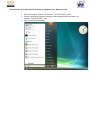
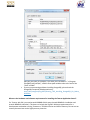
Enter the Control Panel and type UAC in the search box. The first result returned
by the search will be User Accounts - Turn User Account Control (UAC) on or off.
Click on it and the UAC window will open. Deselect the option Use User Account
Control (UAC) to help protect your computer and press the OK button.
Windows Vista will ask you to restart your computer. After the restart, UAC will be
disabled. After the installation you may enable the UAC again.
I do not know how to start the IUCLID Installer on Windows Vista. What must I do?
Save the package to a folder. For example: "\Users\i5\iuclid5_install",
Unzip the package and copy the contents of the package to the same folder. For
example: \Users\i5\iuclid5_install
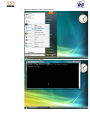
Select Start/Command Prompt
Right-click and select "Run as administrator"
The command prompt opens
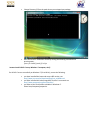
Change Directory (CD) to the path where you unzipped you package
Start the IUCLID 5 installation wizard by writing the following command and
pressing enter:
>java –jar iuclid5_install_5.2.0.jar
I cannot install IUCLID 5 on my Windows 7 computer, why?
For IUCLID 5 to run successfully on Windows 7 (32 or 64 bit), ensure the following:
you have installed the latest and correct JRE version, see
http://www.java.com/en/download/faq/java_win64bit.xml
you have installed the latest PostgreSQL version. For manuals see
http://www.postgresql.org/docs/manuals/
you have set the environment variables in Windows 7:
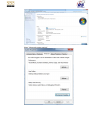
Select Start/computer/properties.
Select "Advanced system settings".
Select "Environment variables"
Select "Path/Edit"
Add your java path, for example, if you have java 6 installed in: "c:\Program
Files(x86)\Java\jre6\bin\", add the same path variable value to the end of the
"Path" variable.
If you are encountering problems installing PostgreSQL, please check the
PostgreSQL Frequently asked questions at:
http://wiki.postgresql.org/wiki/Running_%26_Installing_PostgreSQL_On_Native_
Windows
What are the hardware and software requirements for installing the Tomcat Application Server?
For Tomcat, with JDK, you need around 1000MB of disk space (around 600MB for installation and
around 400MB for execution). This does not include the log files. Minimum requirements for a
development workstation running Tomcat are: 733 MHz Pentium and 1GB of memory. Do not save on
memory because Java can be highly memory-intensive.
What are the hardware and software requirements for installing the database server?
With a clean installation of IUCLID 5, 500MB of disk space is used. This includes the Reference substance
and EC inventory import. We have not calculated how much space is needed for log files, etc.
To calculate how much space is needed for the actual Substance information data on your database
server, you must know some of your companies’ internal parameters. A Substance or Dossier containing
a lot of endpoints, summaries etc. without attachments needs between 1-5 MB database space each. In
IUCLID 5 all added attachments are stored inside the database so every added attachment adds its size
to the needed db size. Since the amount of substances and dossiers will differ between companies, we
do not have a model for disk requirements.
2 CPUs with 2 GHz clock rate and 2GB RAM are needed.
What architecture does IUCLID 5 apply?
IUCLID 5 is a three-tier application, the three tiers being:
- database tier
- server tier
- client tier
This architecture is fully implemented for distributed installations; in order to simplify installation and
running tasks for simple stand-alone installations, the middle tier is physically executed within the JRE
environment in a workstation installation.
Can IUCLID 5 work in a multi-tier application environment where the Web Server, Application Server,
and Oracle Server are all on separate servers?
Yes. However, it is important to note that IUCLID 5 is not a classical web application, i.e. no HTML will be
produced for displaying the user interface, as pointed out in the answer to question 1. Therefore a
separate web (additional to the used servlet container) server will not be used.
How will the IUCLID 5 client software be distributed to the client workstations in distributed
installations?
By using the JNLP / Java WebStart technology, which is included in the JRE 5.0. No local physical
intervention is required to install the IUCLID 5 client. Web Start will automatically retrieve the
application from the local IUCLID 5 server once the IUCLID WebStart link is clicked for the first time: The
application is installed and can then be used. Subsequent calls of the application will of course not need
the installation step (unless a new version of the application is detected).
How can I differentiate between different IUCLID installations?
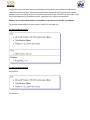
1. Colour of the background
The colour of the background or user interface theme can be changed by selecting
user preferences from the IUCLID 5 Task Panel and clicking the User interface
theme combo box to select a preferred colour. The colour options are: || Blue ||
Grey and Blue || Grey || Light Brown || Green || Pitch Black ||.
2. Setting the Default Client Window Title
The default client window title can be configured in IUCLID 5. This feature is available in IUCLID 5 version
5.1.1. or newer.
The window title is configured with the property "connection.client.window.title". The IUCLID 5 client
reads this property and sets the window title as defined in this property.
There are two possible types of clients in a distributed IUCLID 5 installation: locally installed clients and
clients launched through the Java Webstart mechanism. The property "connection.client.window.title"
is defined in the file "client.properties" for a locally installed client. The typical IUCLID 5 client is started
through the Java Webstart mechanism. Webstart Clients receive the file "client.properties" from the
IUCLID 5 server. The file "client.properties" is dynamically created by the IUCLID 5 server. Administrators
can use the file "jnlp.properties" to configure the generation process of the file "client.properties" and
include the default window title for clients in this file.
The file "jnlp.properties" can be found in the IUCLID 5 server war in the i5client folder, i.e. locate
"i5client/jnlp.properties" in the extracted WAR file.
The file "jnlp.properties" contains the following lines:
#
# Properties file for the creation of a JNLP descriptor
#
# Directory containing all components of the application (JARs, Properties)
dir=/i5client/jars
# Pattern for retrieving files within 'dir' as regex
# Example:
# pattern=(.*\\.jar|.*\\.properties|.*\\.xml)
pattern=(.*\\.jar$)
# Listing of libraries that have to be added as nativelib to the jnlp
# Note:
# This parameter is also used to reduce the listing matched by 'pattern'.
# If a library is listed in 'natives' and is also matched by 'pattern' it
# will only be included as <nativelib /> and not as <jar />.
# Manually created listings in 'jars' are NOT modified. To keep these two properties
# in sync ist the task of the developer!
natives=jdic-native.jar
# FALL-BACK:
# Normally config.jsp will determine the JARs which belong
# this JNLP application automatically from the content of
# the directory given in the parameter 'dir' above and the
# regex provided with 'pattern'
#
# On BEA WebLogic this is not possible when the webapp
# was deployed as a WAR file. As a fall-back mechanism
# this list will be used instead.
#
# CAUTION:
# The paramters dir is needed despite this fall-back
#
# Properties shown in WebStart
#
# The title shown when starting the application
webstart.title=IUCLID5
# The vendor's name shown
webstart.vendor=European Commission
# The project home page displayed in SUN's WebStart manager application
webstart.homepage=http://www.iuclid.eu/
# A description of the application
webstart.description=IUCLID5
# The icon to be shown in WebStart
webstart.icon.file=images/start-button.png
webstart.icon.width=48
webstart.icon.height=48
# Java version
webstart.javaversion=1.5+
# The main class to be started
webstart.mainclass=eu.eca.iuclid.client.ClientLauncher
# The JAR containing the main class of the application (Only state the file name without path)
webstart.mainclass.jar=i5client.jar
# Optional explicit JNLP descriptor timestamp in ISO-8601 (GMT) format
# YYYY-MM-DD hh:mm:ssZ (2002-04-23 19:21:05Z)
# http://java.sun.com/j2se/1.4.2/docs/guide/jws/downloadservletguide.html
webstart.explicit_timestamp=2007-06-01 12:00:00Z
Modify the file "jnlp.properties" and add the lines:
# default window title for clients
connection.client.window.title=Staging
This modifies the default window title of all IUCLID 5 clients that are started via webstart from the
IUCLID 5 server with the modified "jnlp.properties" to "Staging".
How can I connect to IUCLID 5 through a proxy server?
Please refer to the IUCLID 5 Proxy Configuration Manual.
When attempting to install IUCLID 5 from a Terminal Services session, why do I receive an error
message?
Unfortunately, the PostgreSQL backend won't run from a TS session, and in order to do initdb, the
installer has to start a standalone backend. Therefore, installation has to be performed from the
console. If you are using Windows Server 2003, you can get remote access to the actual console and not
just an administrative session. To do this, start the Remote Desktop Connection by executing mstsc
/console, and then connect as usual. This will lock the local console of the server and give you control
over that session. In this scenario, PostgreSQL should install just fine. Please see the PostgreSQL FAQ’s.
Once you have successfully managed to install the PostgreSQL database, the IUCLID 5 installation should
succeed.
How can I make a backup of my IUCLID database?
There are 2 ways to back up your IUCLID data: using the IUCLID backup tool and/or using the database’s
own backup tools.
In order to back up IUCLID 5 data using the IUCLID backup tool (which is included in IUCLID 5, version 5.2
and above), you need to:
1. Log in as SuperUser.
2. Select 'Backup' from the File menu - Administrative tools.
3. The Backup assistant starts. Select the type of documents to be backed up.
4. Enter a password, as you will need it when you restore your data.
5. Click the Next button.
6. Select the folder where the backed up files should be stored.
7. Select whether to export a single or multiple files.
8. Select the overwrite mode
To back up the PostgreSQL database, use the pg_dump.exe tool. Run it from the command prompt (as
Administrator). If you have PostgreSQL installed in the C:\Program Files\PostgreSQL\8.4 folder, run the
backup with the following parameters:
"C:\Program Files\PostgreSQL\8.4\bin\pg_dump.exe” -i -h localhost -p 5432 -U postgres -F c -b -f
"C:\Temp\iuclid5.backup" iuclid5
where: –U is the PostgreSQL database user, -p is the portnumber and iuclid5 is the database name.
IUCLID 5 stores the attached documents as binary large objects, therefore the -b option must be used in
order to include them in the backup.
If asked for a database password for the user postgres and if you have IUCLID 5.1, then check the
installation log file which can be found in the folder C:\Document and Settings\\Local
Settings\Temp\iuclid50.log
The backup command will back up the 'iuclid5' database to a file on your hard-disk.
It is good to test the restore of the backup on a different computer where you have installed
PostgreSQL. You first need to ensure that you have created an empty UTF8 database with PGAdminIII.
To restore files saved with the IUCLID back-up tool follow these steps:
1. Log in as SuperUser.
2. Select the 'Restore' command from the File menu - Administrative tools.
3. The Restore assistant starts.
4. Select the location to restore from as well as the overwrite mode
5. Select Next.
6. Select what you want to restore
7. Select Finish.
You can use the following command from the command prompt (as Administrator): "C:\Program
Files\PostgreSQL\8.4\bin\pg_restore.exe” -i -h localhost -p 5432 -U postgres -d iuclid5restore -O -v
"C:\Temp\iuclid5.backup"
where: –U is the PostgreSQL database user, -p is the portnumber and iuclid5restore is the database
name.
You can find more information and details on the PostgreSQL website
You can use the pg_dump tool to take the backup manually or if you prefer then you can automate the
backup by running it as a scheduled task in Windows. Please see the Windows documentation/Help on
how to do this.
Oracle database backup is explained very well on Oracle's FAQ website section where they discuss
general backup and recovery questions, User managed backup and recovery and RMAN backup and
recovery.
How to find the IUCLID 5 log file
Distributed architecture:
Server log:
The exact location of the iuclid5 server is configured in the i5server.logging. properties file in the WEBINF/classes directory.
For example: log4j.appender.FileApp.File=C:\logs\i5server.log
If not configured, the default location is the working directory of the servlet container.
Client log:
IUCLID 5 client creates the i5client.log file in the current working directory. The current working
directory is usually your desktop if you use Internet Explorer.
Standalone application:
The location of the log file is configured in the i5workstation.logging.properties file.
For example: log4j.appender.FileApp.File=${user.home}/.iuclid5/iuclid5.log
The user.home variable is usually C:\Documents and Settings\your_username\
If not configured, the default value is i5workstation.log in the current working directory, which is usually
where the iuclid5.cmd file can be found.
IUCLID 5 cannot connect to the PostgreSQL 9.0 database, why?
IUCLID 5 cannot connect to a PostgreSQL 9.0 database that is owned by a user for which no password is
defined. The solution is to set a password for the user that owns the IUCLID 5 database in PostgreSQL
9.0.
IMPORTANT! You may have severe/critical problems when running with IUCLID 5.2.x with PostgreSQL
9.x., therefore IUCLID 5.2.x should NOT be used with the PostgreSQL version 9.x. All data entered into
the PostgreSQL 9.0 database may be unrecoverable.
Check also the FAQ Which PostgreSQL version should be used with IUCLID 5? - VERY IMPORTANT!
When attempting to install PostgreSQL on Vista I get the error message 'Database Cluster Initialisation
Failed' at the end of the installation, what can I do?
Vista has safety features associated with setting permissions on the Program Files folder. Even if you are
an administrator, you cannot change permissions on some folders like Program Files and Windows
folder itself. This causes initdb to be unable to create some folders and the database cluster. What this
means for you is that you need to install PostgreSQL in another folder that is not inside Program Files.
If you have forgotten your Postgres account password while installing the first
time, run Command Prompt in Vista as administrator.
- Then type the command 'net user'. You will see a list of users on your
computer.
- Find the Postgre account. It is usually “postgres“.
- Change the password by typing 'net user postgres new_password' where
'new_password' is a new password for the Postgres account. You need the
Postgres account during install.
Use the Control Panel or the PostgreSQL installer in the install folder to uninstall
any failed installations before installing again.
During the install, you will be prompted to choose where you want to install the
program. Just select a location in another place, for example 'C:\PostgreSQL' or
something similar, but not inside Program Files and not inside the Windows folder.
After the install, you will still see the error message, or something similar such as:
'non-fatal error occurred'. (For Windows Power Users, we are assigning Full
Control permission to the Postgres account on the new PostgreSQL install
folder). For other users, see below, if you don’t know how to do it.
Go to where you just installed PostgreSQL. In this case, the C: drive.
- Right-click on the folder (for example, PostgreSQL), and go to Properties –
Security tab.
- Click on the Edit button. You will now see some usernames, etc.
- Click on the Add button.
- In the 'Enter the object names to select' box, enter 'postgres' and press Check.
- The Postgres’ user account should appear there.
- Click on Ok.
- From the 'Group or Usernames' box, select the Postgres account.
- In the window below, with lots of checkboxes, assign permission “Full
Control” in the Allow Column to it.
- If you don’t want to allow full control, just give it read/write.
- Click on Ok and wait a bit for permissions to be applied.
Do a re-install. Do not uninstall anything. Just run the setup again. It will say that a
PostgreSQL install folder already exists, etc.. Just click on Next until the install
finishes. If you see 'file cannot be copied' errors, click on the 'ignore' button when
needed.
PostgreSQL should be up and running on Vista.
For the original text, please see:
http://www.geekscribes.net/blog/2009/04/22/postgresql-database-clusterinitialisation-failed-solution/
IUCLID 5 and anti-virus software
According to the http://wiki.postgresql.org/wiki/FAQ: ''if you have any antivirus software installed, you
must exclude the data directories that are to be used by PostgreSQL and must exclude postgresql.exe
process. If that still does not help, it may be required to completely uninstall the antivirus software from
the machine.
Antivirus software can interfere with PostgreSQL's operation, because PostgreSQL requires file access
commands in Windows to behave exactly as documented by Microsoft, and many antivirus programs
contain errors or accidental behavior changes that cause these commands to misbehave subtly.
Most programs do not care because they access files in fairly simple ways. Because PostgreSQL is
continuously reading from and writing to the same set of files from multiple processes, it tends to trigger
programming and design mistakes in antivirus software, particularly problems related to concurrency.
Such problems can cause random and unpredictable errors, or even data corruption.
Antivirus software is also likely to dramatically slow down PostgreSQL's operation. For that reason, you
should at least exclude postgres.exe and the data directories so the scanner ignores them.
The systems used to build the Windows installers all run either Sophos AV or AVG Free Edition, and those
systems pass a full set of PostgreSQL regression tests running those programs. Microsoft Security
Essentials is also known to work.
Specific issues have also been reported with McAfee and Panda anti-virus software and NetLimiter
network monitoring software. While some people do have PostgreSQL working with these software
packages, there is no specific or even recommend solutions that have not worked in some cases, so the
issues would appear to be installation specific, sometimes even requiring uninstallation''.
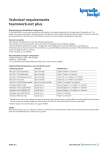
What are the recommended software and hardware requirements for IUCLID 5.2 and higher?
The recommended software versions with the IUCLID 5.2 and higher are:
For the standalone version:
For the Distributed version:
for the client:
for the server:
Note: Other software versions or components may work, but remain unsupported.
The recommended hardware requirements for IUCLID 5.2 and higher are:
How can I distinguish user accounts when using Windows, IUCLID 5 stand alone installation and
PostgreSQL database?
There are three different user accounts and passwords when installing/using IUCLID 5 and PostgreSQL.
There is also a user account created by the SuperUser and the IUCLID 5 -web site also has a separate
logon account. In case you need to reset the password for a particular account, it is necessary to
distinguish which account a password belongs to.
Basic accounts are as follows:
1) Postgres - Same name for two accounts – for the PostgreSQL database administration and for the
Postgres service under Windows.
2) Iuclid5 - Database account
3) SuperUser - Administrator account for IUCLID 5 administrative tasks
4) Own user accounts in IUCLID 5 - created by the SuperUser
5) User account for the IUCLID 5 web site
1. Postgres – same name for two accounts - for the PostgreSQL database administration and for the
Postgres service under Windows.
The postgres account is automatically created during the PostgreSQL installation (see e.g. Installation
guide for IUCLID 5 version 5.2 Stand alone application, page 10) and at that point the password is set by
the user.
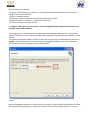
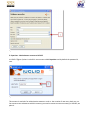
The installer creates two separate accounts at the same time (see Figure 1 below) with the same name
postgres: a) the administrator account to manage the PostgreSQL database server and b) Windows
special account to run the Postgres service under Windows.
Figure 1
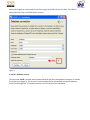
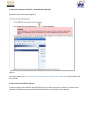
When the database connection is created for the first time you need to type this password for the Super
User password-field (see Figure 2). At this point the title of this account is superuser but it is not the
same as the SuperUser account which one uses to log in to IUCLID 5 for the first time. The IUCLID 5
name SuperUser refers to IUCLID5 built-in account.
Figure 2
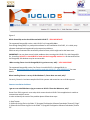
2. Iuclid5 - database account
The user name iuclid5 is created and the password will be set when the database connection is created
for the first time (figure 3). This account is used transparently for the database connection between
IUCLID 5 and PostgreSQL. This password will be set in this phase of the installation.
Figure 3
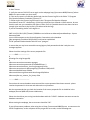
3. SuperUser - Administrator account to IUCLID 5
In IUCLID 5 (figure 4) there is a build-in user account called SuperUser and by default the password is
root.
Figure 4
This account is used only for administrative purposes, such as, the creation of new users, back ups, etc.
You cannot create substances with this account, you need to create new user account(s) in IUCLID5, see
point 4.
4. Own user accounts in IUCLID 5 - created by the SuperUser
Follow the instructions below (figure 5)
Figure 5
For further details, see 16.2. Feature 'User Management': How to create a new User of the IUCLID 5 end
user manual.
5. User account to IUCLID 5 web site
In order to logon to the IUCLID 5 web site (figure 6), you need to have a user account. This one can be
restored via a password recovery-function and this account is valid only for the web site.
Figure 6
Which PostreSQL version should be used with IUCLID 5? - VERY IMPORTANT!
The supported PostgreSQL version, with IUCLID 5.x is PostgreSQL 8.4.x.
Even though PostrgreSQL is a prerequisite software for the installation of IUCLID 5, it is a third party
software developed and supported by the respective publishers.
ECHA can only recommend the successfully tested versions, which might not be the latest ones.
IMPORTANT: You may have severe/critical problems when running with IUCLID 5.2.x with PostgreSQL
9.x., therefore IUCLID 5.2.x should NOT be used with the PostgreSQL version 9.x. All data entered into
the PostgreSQL 9.0 database may be unrecoverable.
When running Chesar 1.x with PostgreSQL 9.0 I get Java errors, why? - VERY IMPORTANT!
The supported PostgreSQL version, for Chesar 1.x and IUCLID 5.x is PostgreSQL 8.4.x.
Please see Which PostgreSQL version should be used with IUCLID 5? - VERY IMPORTANT! for more
details.
When installing Chesar 1.x on my 64-bit Windows 7, Chesar does not work, why?
Currently, Chesar 1.x has been compiled for 32-bit systems and cannot be run on 64-bit systems.
Common Installation Problems
I get an error code 500 when trying to connect to IUCLID 5 from the Webserver, why?
Server Error 500 is a generic error code, which means that the IUCLID 5 client application is unable to
communicate with the server.
In order to identify the cause of the problem please follow these steps:
1. Stop Tomcat.
2. Delete all the log files in the folder "C:\Program Files\Apache Software Foundation\Tomcat 5.5\logs"
3. Delete all the i5server.log files in the folder "C:\Program Files\Apache Software Foundation\Tomcat
5.5"
4. Start Tomcat
5. Verify the status of IUCLID 5 server again on the webpage http://yourserver:8080/i5server/ (where
8080 is the port number you have used)
6. If the server status is not OK then please look into the i5server.log file in the folder "C:\Program
Files\Apache Software Foundation\Tomcat 5.5"
7. Please send us the i5server.log file found in the C:\Program Files\Apache Software
Foundation\Tomcat 5.5" subdirectory. (If this log is empty and you created a IUCLID account, be sure
that this new user you created has full rights to write, since it is possible that this user does not have
enough rights and that is why he/she is not able to write the log).
If you see something similar in the log file to:
2007-11-15 21:50:15,835 [Thread-1] ERROR eu.eca.iuclid.server.AbstractSystemBootStrap - System
bootstrap failed
eu.eca.iuclid.common.service.ServiceException: Connection to the database
(jdbc:postgresql://localhost:5432/iuclid5) could not be established:
FATAL: password authentication failed for user "postgres"
it means that you may have entered the wrong login or/and password and that is why the error
messages appears.
Please check the settings of the server.properties file:
-----------SNIP---------------------#
# Settings for using PostgreSQL
#
hibernate.connection.username=postgres
hibernate.connection.password={aTVQb3N0Z3Jlcw==}
hibernate.connection.driver_class=org.postgresql.Driver
hibernate.connection.url=jdbc:postgresql://localhost:5433/iuclid5
hibernate.hbm2ddl.auto=validate
hibernate.dialect=org.hibernate.dialect.PostgreSQLDialect
hibernate.jdbc.use_streams_for_binary=false
-----------SNIP---------------------Ensure that the correct database username and the correct password have been entered - please
rewrite the password in clear text and without the curly brackets.
We also recommend that you check the location of the server.properties file. It should be in the
webapps\i5server\WEB-INF\classes subdirectory.
Please also check that you can log into the database with the "IUCLID" database username to test the
database connection.
When starting the webpage, the server status should be "OK".
If you still encounter problems, when using the url: http://servername:8080/i5server to connect to the
IUCLID 5 application, on the computer where you get the error code, run the following test:
1) type the full server name including the domain name, for e.g.
http://servername.domainname:8080/i5server/
2) type the IP address of the server, for e.g. http://10.1.10.40:8080/i5server/
3) check the DNS settings of clients. Do all clients have the same problem?
Please also check the settings on javaws
- Select Start/Run/javaws
- Edit/Preferences/Network Settings
Installation fails with error code 1326, why?
If installation fails with error code 1326 Logon failure: unknown user name or bad password, do the
following:
- Check that the "postgres" service is running (Right-click on the My computer icon, select Manage,
Select services and applications, select services).
- Send the IUCLID 5 Support Team following log files so that they can analyse your problem further:
C:\program files\iuclid5\workstation\i5workstation.log and C:\program
files\iuclid5\postgres\pg_log\postgresql-2007-06-16235839.log (or similar), where "postgresql-2007-0616235839" is the most recent postgresql log file.
- Also check that the workstation.properties file settings are correct, they should look similar to:
-----------SNIP---------------------hibernate.connection.username=postgres
hibernate.connection.password={aTVQb3N0Z3Jlcw==}
hibernate.connection.driver_class=org.postgresql.Driver
hibernate.connection.url=jdbc:postgresql://localhost:5432/iuclid5
hibernate.hbm2ddl.auto=validate
hibernate.dialect=org.hibernate.dialect.PostgreSQLDialect
hibernate.jdbc.use_streams_for_binary=false
-----------SNIP---------------------- Check that the correct database username and the correct password have been used - rewrite the
password in clear text, without the curly brackets
- Ensure that the service account has write access permission to the installation directories. If not, then
this causes errors. By default all users have permission to write to the default installation directory,
C:\Program Files\... but if your company have stricter security policies, these privileges might have been
removed. For example: if you have created a user postgres to create and run the postgreSQL service,
this user needs permissions on the installation directory.
- Create the user postgres before installation, and ensure the following:
o The user must not belong to any administrator or power users groups. The user must be a local user.
- The PostgreSQL service account needs read permissions on all directories leading up to the service
directory. It needs write permissions only on the data directory. Specifically, the user should not be
granted anything other than read permissions on the directories containing binary files. (All directories
below the installation directory are set by the installer, so unless you change something, there should be
no problem with this).
- In the Local Security Policy, with MMC, set the rights for the PosgreSQL user: "Log on as a Service",
"Log on locally" (needed for installation only), "Log on as a Batch job", "Act as part of the operating
system"
- Disable all antivirus and firewall software for the time of the installation. If you still get error messages,
we recommend that you then install IUCLID 5 manually. Please download the IUCLID 5 Standalone
version Microsoft® Windows® Installation Guide (manual) from the IUCLID5 website and follow the
instructions in the document.
Installation fails with error code 1385, why?
Error code 1385 means that your user does not have the "logon as a batch job" rights. When installing
PostgreSQL please ensure that the service account has write access permission to the installation
directories. If not, then this causes errors. By default all users have permission to write to the default
installation directory, C:\Program Files\... but if your company has stricter security policies, these
privileges might have been removed. For example: if you have created a user postgres to create and run
the postgreSQL service, this user needs permissions on the installation directory. Create the user
postgres before installation, and ensure the following:
- The user must not belong to any administrator or power users groups
- The PostgreSQL service account needs read permissions on all directories leading up to the service
directory. It needs write permissions only on the data directory. Specifically, the user should not be
granted anything other than read permissions on the directories containing binary files. (All directories
below the installation directory are set by the installer, so unless you change something, there should be
no problem with this).
- In the Local Security Policy, with MMC, set the rights for the PosgreSQL user: "Log on as a Service",
"Log on locally" (needed for installation only), "Log on as a Batch job", "Act as part of the operating
system"
- Disable all antivirus and firewall software for the time of the installation.
Startup fails with error code 1069, why?
The "Error 1069: The service did not start due to a logon failure" occurs when:
- The password is changed on the account the service is configured to use to log on (i5postgres)
- The password data in the registry is damaged
- The right to "log on as a service" is revoked for the specified user account.
Solution
You need to update the password in the i5postgres_port_5433 service account on the host computer.
If the password data in the registry is damaged, you need to re-install (try this as a final solution).
The account being used for the service to logon with has not been granted the "Logon as a Service"
security policy. Windows Systems vary in how to achieve this; the most common are highlighted below.
As an administrator, open the service properties from the Services dialog box (Start > Settings > Control
Panel, Administrative Tools, Services) and ensure the user is listed in the Logon tab. Click OK. A message
should be returned that says the user has been granted the Logon as a Service policy.
Or
Start > Settings > Control Panel. Open Administrative Tools and open Local Security Policy.
Find the Logon as a Service policy (Windows Settings/Security Settings/Local Policies/User Rights
Assignment/Log on as a Service) and double-click to open the properties page. Click the Add button to
open a dialog box that will enable you to add the user starting the service. Click OK to close the property
page. Reload the policies by right-clicking Security Settings and choosing Reload.
Also ensure that "Log on locally" (needed for installation only), "Log on as a Batch job" and "Act as part
of the operating system" are selected. The i5postgres user account also needs these rights.
With Tomcat 5.5.26 HTTP 500 error message is displayed in the browser.
After having successfully installed the distributed version of IUCLID5 with Tomcat 2.2.26 (or later), the
HTTP 500 error message is displayed in the browser, followed by details of the error.