1
Chapter 4. T1 Network Interface
Clear results by pressing Shift+9. The results are
accumulated until the test pattern is set to None or Cleared.
Using TST DS0s for testing can be very useful, particularly in
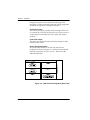
Fractional T1 applications. You can run an end-to-end test on
the Fractional DS0s by:
1.
Setting for Map B the TST in the same DS0 as used by
Map A to receive data from an Nx56/64 port, and
2.
Looping the far end using a V.54 loopback code on the
Nx56/64 port. In addition, a single DS0 can be used for
continuous testing while other DS0s are passing normal
data.
This will also provide an end-to-end check on the entire link.
Set each end to send QRSS in TST DS0s (using 1 DS0) and
occasionally view the results on the Pattern Result Menu
selection.
Run Self-Test
The self-test checks the integrity of the internal operation of
the electronic components by performing memory tests and
by sending and verifying data test patterns through all
internal interfaces. Although actual user data cannot be
passed during these tests, the self-test can be run with the
network and DTE interfaces in place and will not disturb any
external interface.
The memory portion of the self-test automatically executes
upon power-up. A full self-test can be commanded from a
front panel menu or from T-Watch Pro.
In addition to the specified self-tests, background tests are
run on various parts of the internal electronics. These run
during normal operation to confirm continued correct
functioning.
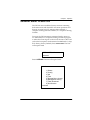
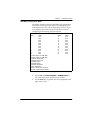
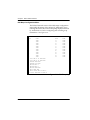
This menu selection is used to execute a full internal self-test.
The results of the self-tests are displayed on the terminal
screen. When you invoke the command, the TEST LEDs are
illuminated. Test failures are displayed on the terminal
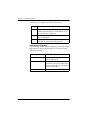
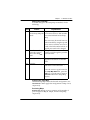
screen. The self-test consists of the following tests:
4-30
TSU 610 User Manual
61200610L2-1