1
Technical Data
PanelView Component Specifications
Catalog Numbers 2711C-F2M, 2711C-K2M, 2711C-T3M, 2711C-K3M, 2711C-T6M, 2711C-T6C,
2711C-T6T, 2711C-T10C
PanelView Component
Family
Topic
Page
PanelView Component Family
1
Environmental Specifications
2
Certifications
2
Technical Specifications
3
Dimensions
5
Accessories
6
Software
7
Cables
8
Additional Resources
10
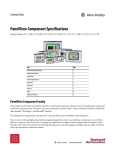
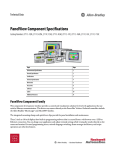
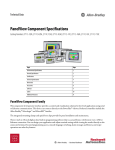
This component level operator interface provides a control and visualization
solution for low-level applications using serial or Ethernet communication. This
device can connect directly to the PowerFlex 4 drives. Preferred controllers
include the Allen-Bradley Micrologix, SLC, and Micro800 families.
The integrated mounting clamps of the PanelView Component provides easier
panel installation and maintenance.
These 2-inch to 10-inch displays have built-in programming software that is
accessed from a web browser over a USB or Ethernet connection. This means you
can design your application and adjust terminal settings while viewing the results
directly on the connected terminal.
Secured programming access, unicode language switching, alarm messages and
history, and recipe operations are other key features.
2
PanelView Component Specifications
Environmental
Specifications
Table 1 - Environmental Specifications - PanelView Component Terminals
Attribute
2711C-F2M, 2711C-K2M, 2711C-T3M, 2711C-K3M, 2711C-T6M,
2711C-T6C, 2711C-T6T, 2711C-T10C
Temperature, operating
0…50 °C (32…122 °F)
Temperature, storage
-25…70 °C (-13…158 °F)
Heat Dissipation
C200/C300: 16 BTU/hr
C600: 32 BTU/hr
C1000: 58 BTU/hr
Relative humidity
0...95% noncondensing
Vibration
2 g at 10…500 Hz
Altitude, operating
2000 m (6561 ft)
Shock, operating
15 g at 11 ms
Shock, nonoperating
30 g at 11 ms
Enclosure ratings
NEMA/UL Type 12, 13, 4X (indoor use only), IEC IP54, IP65
2711C-T6M, 2711C-T6C Series B only: NEMA/UL Type 12, 13,
and IEC IP54
Certifications
Table 2 - Certifications - PanelView Component Terminals
Certification(1)
2711C-F2M, 2711C-K2M, 2711C-T3M, 2711C-K3M, 2711C-T6M,
2711C-T6C, 2711C-T6T, 2711C-T10C
c-UL-us
UL Listed Industrial Control Equipment, certified for US and Canada. See UL
File E113724
CE
European Union 89/336/EEC EMC Directive, compliant with:
• EN 61000-6-2; Industrial Immunity
• EN 61000-6-4; Industrial Emissions
• EN 61131-2; Programmable Controllers
C-Tick
Australian Radiocommunications Act, compliant with:
AS/NZS CISPR 11; Industrial Emissions
(1) When marked. See the Product Certification link at http://www.ab.com for Declarations of Conformity,
Certificates, and other certification details.
Rockwell Automation Publication 2711C-TD001A-EN-P - October 2010
PanelView Component Specifications
Technical Specifications
The tables in this section provide technical specifications for the PanelView
Component terminals.
PanelView Component C200 and C300
Table 3 - Technical Specifications - PanelView Component C200 and C300 Terminals
C200
2711C-F2M
Terminal Type
Attribute
C200
2711C-K2M
C300
2711C-T3M
C300
2711C-K3M
Display type
Monochrome transflective STN passive matrix
Monochrome transflective FSTN passive matrix
Display size
2 in.
3 in.
Display area (WxH)
49 x 14 mm (1.93 x 0.55 in.)
67 x 33 mm (2.64 x 1.30 in.)
Resolution
122 x 32
128 x 64
Backlight
50,000 hours life, min.; not replaceable
50,000 hours life, min.; not replaceable
Yellow/Green LED indicator
White LED indicator
Operator input
4 function keys (F1…F4)
Up, down, left, right, Enter
keys
10 function keys (F1…F10)
Numeric keypad 0…9
Up, down, left, right, decimal,
+/-, Enter keys
Analog touch
Real-time Clock
No battery backup
Battery
5 year min. at 25 °C (77 °F)
Programming port
USB device port
Communication ports
RS-232 (DH-485), RS-232 (DF1), RS485
Multi-vendor communication available for Modbus, Modbus/TCP, Siemens MPI devices
Memory Card
USB flash drive
Software
Web-enabled software resident in terminal accessed through web browser
Browser support: Firefox 3.0, Internet Explorer 7
Emulator available
Preferred controller
MicroLogix, SLC, and Micro800 controllers
10 function keys (F1…F10)
Numeric keypad 0…9
Up, down, left, right, decimal,
+/-, Enter keys
Input voltage, DC
18…30V DC (24V DC nominal)
Power consumption, DC
5 W max (0.21 A at 24V DC)
Weight approx.
0.19 g (0.40 lb)
0.30 kg (0.65 lb)
0.20 kg (0.43 lb)
0.30 kg (0.65 lb)
Dimensions (HxWxD), approx.
80 x 116 x 54 mm
3.15 x 4.54 x 2.13 in.
119 x 139 x 55 mm
4.69 x 5.47 x 2.15 in.
80 x 116 x 57 mm
3.15 x 4.54 x 2.23 in.
119 x 139 x 55 mm
4.69 x 5.47 x 2.15 in.
Cutout Dimensions (HxWxD)
65 x 100 mm
2.56 x 3.94 in.
100 x 120 mm
3.94 x 4.72 in.
65 x 100 mm
2.56 x 3.94 in.
100 x 120 mm
3.94 x 4.72 in.
Rockwell Automation Publication 2711C-TD001A-EN-P - October 2010
3
4
PanelView Component Specifications
PanelView Component C600 and C1000
Table 4 - Technical Specifications - PanelView Component C600 and C1000 Terminals
C600
2711C-T6T
Terminal Type
Attribute
C600
2711C-T6C
Color transmissive CSTN
passive matrix LCD
C600
2711C-T6M
Monochrome transmissive
FSTN passive matrix
C1000
2711C-T10C
Display type
Color transmissive TFT
active matrix LCD
Display size
5.7 in.
10.4 in.
Display area (WxH)
115 x 86 mm (4.53 x 3.39 in.)
211 x 158 mm (8.31 x 6.22 in.)
Resolution
320 x 240
50,000 hours life, min.; not replaceable
Backlight
40,000 hours life, min.; not
replaceable
White LED backlight
CCFL
Color transmissive TFT active
matrix LCD
640 x 480
Operator input
Analog touch
Actuation rating: 1,000,000 presses
Real-time clock
Battery backup
Battery life
5 year min. at 25 °C (77 °F)
Programming port
USB device port or Ethernet port
Communication ports
RS-232 (DH-485), RS-232 (DF1), RS485, Ethernet
Multi-vendor communication available for Modbus, Modbus/TCP, Siemens MPI devices
Memory Card
USB flash drive
Secure digital (SD) card: Cat. no. 2711C-RCSD, USB to SD adapter with secure digital (SD)
Software
Web-enabled software resident in terminal accessed through web browser
Browser support: Firefox 3.0, Internet Explorer 7
Emulator available
Preferred controller
MicroLogix, SLC, and Micro800 controllers
Input voltage, DC
18…30V DC (24V DC nominal)
Power consumption, DC
10 W max (0.42 A at 24V DC)
18 W max (0.75 A at 24V DC)
Weight approx.
0.68 g (1.48 lb)
1.57 kg (3.41 lb)
Dimensions (HxWxD), approx.
154 x 209 x 57 mm
6.0 x 8.23 x 2.25 in.
250 x 308 x 54 mm
9.84 x 12.13 x 2.13 in.
Cutout Dimensions (HxWxD)
136 x 190 mm
5.35 x 7.48 in.
232 x 290 mm
9.13 x 11.42 in.
Rockwell Automation Publication 2711C-TD001A-EN-P - October 2010
PanelView Component Specifications
Dimensions
Dimensions are provided for the PanelView Component terminals.
Figure 1 - PanelView Component C200 and C300 Terminals
PanelView Component C200 Function Key and C300 Touch
PanelView Component C200 and C300 Keypad
c
d
c
d
PanelView C300
PanelView C200
a
a
F1 1
F2 2
F3 3
F4 4
F5 5
F6 6
F7 7
F8 8
F9 9
F10 0
F1
F2
F3
F4
b
b
Table 5 - Dimensions - PanelView Component C200 and C300
Height, Approx.
Width, Approx.
Depth Overall,
Approx.
Mounted Depth,
Approx.
b
c
d
119 mm (4.69 in.)
139 mm (5.47 in.)
55 mm (2.15 in.)
80 mm (3.15 in.)
116 mm (4.57 in.)
PanelView
Component
a
C200 and C300 Keypad
C200 Function Key
49 mm (1.93 in.)
54 mm (2.13 in.)
C300 Touch
Cutout Height, Approx.
Cutout Width, Approx.
mm (in.)
99.0 ± 1.0 (3.90 ± 0.04)
mm (in.)
119.0 ± 1.0 (4.69 ±0.04)
64.0 ± 1.0 (2.52 ± 0.04)
99.0 ± 1.0 (3.90 ±0.04)
64.0 ± 1.0 (2.52 ± 0.04)
99.0 ± 1.0 (3.90 ±0.04)
49 mm (1.93 in.)
57 mm (2.23 in.)
Figure 2 - PanelView Component C600 Touch Terminals
PanelView Component C600 Touch
PanelView Component C1000 Touch
c
d
c
d
PanelView C1000
6
PanelView C600
a
a
b
6
Table 6 - Dimensions - PanelView Component C600 and C1000
PanelView
Component
Height, Approx.
Width, Approx.
Depth Overall,
Approx.
Mounted Depth,
Approx.
Cutout Height, Approx.
mm (in.)
Cutout Width, Approx.
a
b
c
d
C600 Touch
154 mm (6.0 in.)
209 mm (8.23 in.)
57 mm (2.25 in.)
49 mm (1.93 in.)
135.0 ± 1.0 (5.31 ± 0.04)
189.0 ± 1.0 (7.44 ±0.04)
C1000 Touch
250 mm (9.84 in.)
308 mm (12.13 in.)
54 mm (2.13 in.)
49 mm (1.93 in.)
231.0 ± 1.0 (9.09 ± 0.04)
289.0 ± 1.0 (11.38 ±0.04)
Rockwell Automation Publication 2711C-TD001A-EN-P - October 2010
mm (in.)
5
6
PanelView Component Specifications
Accessories
Tables 7…10 list the accessories for the PanelView Component terminals.
Table 7 - Secure Digital Card
Cat. No.
Description
2711C-RCSD
USB to SD adapter with secure digital card (SD)
Table 8 - Antiglare Overlays
Input Type
Cat. No.(1)
PanelView
Component Model
Function Key
2711C-RG2F
C200
•
Numeric Keypad
Touch
C300
2711C-RG2K
•
C200
•
C300
•
2711C-RG6T
C600
•
2711C-RG10T
C1000
•
(1) Three overlays are shipped with each catalog number.
Table 9 - Power Terminal Blocks
Cat. No.
Description
Quantity
2711C-RJ422
RS422/485 connector with resistor
10
2711-TBDC
DC power terminal block
10
Table 10 - Power Supply
Cat. No.
2711P-RSACDIN
Description
DIN-rail mount AC-to-DC power supply, 85…265V AC, 47…63 Hz
Rockwell Automation Publication 2711C-TD001A-EN-P - October 2010
Quantity
1
PanelView Component Specifications
Software
7
The PanelView Component stands apart from other HMI devices with its
on-terminal programming software. Eliminating the need to install software on a
personal computer reduces both start-up and servicing time. Just connect your
computer to the PanelView Component through a USB cable or Ethernet, then
launch the software through your web browser. Both Microsoft Internet Explorer
and Mozilla Firefox are supported. A dashboard provides a single point of entry
for accessing all terminal and design operations.
Take advantage of these features while connected to the terminal:
• Launch the design environment where navigation tabs guide you through
application development.
• View the results of your design efforts directly on the terminal without
having to download the application first.
• Modify terminal display and communication settings, view system
information, and enable login security.
• Transfer files between PanelView Component storage and a USB flash
drive, SD card, or computer; and delete files from terminal storage.
• Change the start-up application or language the terminal uses for
configuration screens and diagnostic messages.
For programming without a PanelView Component, an emulator for Windows
XP and Vista systems is also available. The emulator and browser must be on the
same computer.
Table 11 - Supported Operating Systems and Browsers
Operating System
Browser
Platform Supported
Windows Vista
Internet Explorer 7
Firefox 3.0
Terminal and emulator
Windows XP SP2
Internet Explorer 7
Firefox 3.0
Terminal and emulator
Windows 2000 SP4(1)
Internet Explorer 7
Firefox 3.0
C600 and C1000 terminal
using Ethernet
(1) Using Ethernet network connection only.
Rockwell Automation Publication 2711C-TD001A-EN-P - October 2010
8
PanelView Component Specifications
Cables
The table summarizes cables used by the PanelView Component terminals.
Table 12 - Cables and Adapters
Cat. No.
Description
Connectors
Length
2711C-CBL-UU02
USB host to USB device programming cable.
2711C-CBL-AB03
RS-485 (5-pin) to RJ45 operating/programming cable for connecting
PanelView Component terminals to SLC 5/01, 5/02, 5/03 controllers.
RS-485 (5-pin) to RJ45
1747-CP3
Operating/programming cable for connecting PanelView Component
terminals to SLC and MicroLogix controllers.
9-pin D-shell to 9-pin D-shell
null modem cable
3 m (10 ft)
1761-CBL-PM02
RS-232 operating/programming cable for connecting PanelView
Component terminals to MicroLogix controllers.
9-pin D-shell to 8-pin mini DIN
2 m (6.5 ft)
2711-CBL-PM05
RS-232 operating/programming cable for connecting PanelView
Component terminals to MicroLogix controllers.
9-pin D-shell to 8-pin mini DIN
5 m (16.4 ft)
2711-CBL-PM10
RS-232 operating/programming cable for connecting PanelView
Component terminals to MicroLogix controllers.
9-pin D-shell to 8-pin mini DIN
10 m (32.7 ft)
2711P-CBL-EX04
Ethernet CAT5 crossover cable for use with PanelView Component C600
and C1000 terminals.
RJ45 to RJ45
4.3 m (14 ft)
1761-NET-AIC
AIC+ advanced interface converter, RS-232/RS-485.
—
—
2 m (6.5 ft)
Runtime Communication Cables
Tables 13…16 provide a summary of connections between PanelView
Component terminals and controllers or interface modules for runtime
communication.
Table 13 - Runtime Communication Cables: PanelView Component to SLC Controllers
Protocol
DF1
SLC 5/03
CH1 (RJ45)
(DH-485)
SLC 5/04
CH1 (DH+)
SLC 5/05
CH1 (ENET)
1747-CP3 (3 m/10 ft)
—
—
—
RS-232 (DH-485) port (9-pin)
Use AIC+ module
(1761-NET-AIC)
to connect to Port 1 or 2
1747-CP3 (3 m/10 ft)
Use AIC+ module
(1761-NET-AIC)
to connect to Port 1 or 2
—
—
RS-485 (DH-485) port (5-pin)
2711C-CBL-AB03(1)
—
2711C-CBL-AB03(1)
—
—
—
1585J-M type cable or
2711P- CBL-EX04
(4 m/14 ft) (2)
PanelView Component
Comm Port
RS-232 (DF1) port (9-pin)
DH-485
EtherNet/IP
EtherNet/IP port
SLC 500, 5/01, 5/02
CH1 (RJ45)
(DH-485)
SLC 5/03, 5/04, 5/05
CH0 (9-pin RS-232)
(DF1 or DH-485)
—
—
Use 1761-NET-ENI module
with Ethernet cable
—
(1) The AIC+ module is recommended for isolation purposes when the terminal and controller are not on the same power supply.
(2) For a direct connection between the terminal and controller, use the 2711P-CBL-EX04 crossover cable.
Rockwell Automation Publication 2711C-TD001A-EN-P - October 2010
PanelView Component Specifications
Table 14 - Runtime Communication Cables: PanelView Component to MicroLogix Controllers
Protocol
PanelView Component
Comm Port
MicroLogix 1400, 1500LRP
CH1/CH2 (9-pin RS-232)
(DF1 or DH-485)
MicroLogix 1000, 1100, 1200, 1400, 1500LSP
CH0 (8-pin Mini DIN)
(DF1 or DH-485)
MicroLogix 1100, 1400
Ethernet
DF1
RS-232 (DF1) port (9-pin)
1747-CP3 (3 m/10 ft)
1761-CBL-PM02 (2 m/6.5 ft)
2711-CBL-PM05 (5 m/16 ft)
2711-CBL-PM10 (10 m/12 ft) (1)
—
DH-485
RS-232 (DH-485) port (9-pin)
1747-CP3 (3 m/10 ft)
1761-CBL-PM02 (2 m/6.5 ft)
2711-CBL-PM05 (5 m/16 ft)
2711-CBL-PM10 (10 m/12 ft) (1)
—
EtherNet/IP
EtherNet/IP port
Use 1761-NET-ENI module
with Ethernet cable
1585J-M type cable or
2711P- CBL-EX04 (4 m/14 ft) (2)
(1) The AIC+ module is recommended for isolation purposes when the terminal and controller are not on same power supply.
(2) For a direct connection between the terminal and controller, use the 2711P-CBL-EX04 crossover cable.
Table 15 - Runtime Communication Cables: PanelView Component to CompactLogix
Controllers
Protocol
PanelView Component
Comm Port
CompactLogix
CH0 (9-pin RS-232)
(DF1 or DH-485)
DF1
RS-232 (DF1) port (9-pin)
2711-NC13 (5 m/16 ft)
2711-NC14 (10 m/32 ft)
DH-485
RS-232 (DH-485) port (9-pin)
2711-NC13 (5 m/16 ft)
2711-NC14 (10 m/32 ft)
EtherNet/IP
EtherNet/IP port
1585J-M type cable or
2711P- CBL-EX04 (4 m/14 ft) (1)
(1) For a direct connection between the terminal and controller, use the 2711P-CBL-EX04 crossover cable.
Table 16 - Runtime Communication Cables: PanelView Plus to Interface Modules
Protocol
PanelView Plus
Comm Port
1761-NET-AIC
Port 1 (9-pin)
1761-NET-AIC
Port 2 (8-pin Mini DIN()
1761-NET-AIC
Port 3 (DH-485)
DF1
RS-232 port (9-pin)
1747-CP3 (3 m/10 ft)
1761-CBL-PM02 (2 m/6.5 ft)
2711-CBL-PM05 (5 m/16 ft)
2711-CBL-PM10 (10 m/12 ft)
—
DH-485
RS-232 port (9-pin)
1747-CP3 (3 m/10 ft)
1761-CBL-PM02 (2 m/6.5 ft)
2711-CBL-PM05 (5 m/16 ft)
2711-CBL-PM10 (10 m/12 ft)
—
Rockwell Automation Publication 2711C-TD001A-EN-P - October 2010
9
10
PanelView Component Specifications
Additional Resources
These documents contain additional information concerning related Rockwell
Automation products.
Table 17 - Additional Resources
Resource
Description
PanelView Component Installation Instructions,
publication 2711C-IN001
Provides instructions for installing a PanelView
Component terminal.
PanelView Component User Manual, publication
2711C-UM001
Provides information on how to configure and
operate the PanelView Component terminal,
including troubleshooting information.
PanelView Component Quick Start, publication
2711C-QS001
Provides instructions on setting up a sample
application on a PanelView Component terminal.
Industrial Automation Wiring and Grounding
Guidelines, publication 1770-4.1
Provides general guidelines for installing a
Rockwell Automation industrial system.
Product Certifications website,
http://www.ab.com
Provides declarations of conformity, certificates,
and other certification details.
You can view or download publications at
http://rockwellautomation.com/literature. To order paper copies of technical
documentation, contact your local Rockwell Automation distributor or sales
representative.
Rockwell Automation Publication 2711C-TD001A-EN-P - October 2010
PanelView Component Specifications
Notes:
Rockwell Automation Publication 2711C-TD001A-EN-P - October 2010
11
Important User Information
Solid-state equipment has operational characteristics differing from those of electromechanical equipment. Safety
Guidelines for the Application, Installation and Maintenance of Solid State Controls (publication SGI-1.1 available from
your local Rockwell Automation sales office or online at http://www.rockwellautomation.com/literature/) describes some
important differences between solid-state equipment and hard-wired electromechanical devices. Because of this difference,
and also because of the wide variety of uses for solid-state equipment, all persons responsible for applying this equipment
must satisfy themselves that each intended application of this equipment is acceptable.
In no event will Rockwell Automation, Inc. be responsible or liable for indirect or consequential damages resulting from the
use or application of this equipment.
The examples and diagrams in this manual are included solely for illustrative purposes. Because of the many variables and
requirements associated with any particular installation, Rockwell Automation, Inc. cannot assume responsibility or
liability for actual use based on the examples and diagrams.
No patent liability is assumed by Rockwell Automation, Inc. with respect to use of information, circuits, equipment, or
software described in this manual.
Reproduction of the contents of this manual, in whole or in part, without written permission of Rockwell Automation,
Inc., is prohibited.
Documentation Feedback
Your comments will help us serve your documentation needs better. If you have any suggestions on how to improve this
document, complete this form, publication RA-DU002, available at http://www.rockwellautomation.com/literature/.
Allen-Bradley, PanelView Component, CompactLogix, ControlLogix, SLC, Rockwell Software, PowerFlex, Rockwell Automation, and TechConnect are trademarks of Rockwell
Automation, Inc.
Trademarks not belonging to Rockwell Automation are property of their respective companies.
Rockwell Otomasyon Ticaret A.Ş., Kar Plaza İş Merkezi E Blok Kat:6 34752 İçerenköy, İstanbul, Tel: +90 (216) 5698400
Publication 2711C-TD001A-EN-P - October 2010
Copyright © 2010 Rockwell Automation, Inc. All rights reserved. Printed in the U.S.A.