1
Technical Data
PanelView 800 Terminals
Catalog Numbers 2711R-T4T, 2711R-T7T, 2711R-T10T
Topic
Page
Environmental Specifications
3
General Specifications
4
Certifications
4
Technical Specifications
5
Product Dimensions
6
Accessories
7
Software
8
Cables
8
More Information
10
PanelView 800 Terminals
PanelView 800 Family
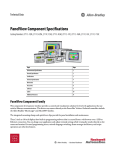
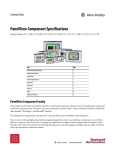
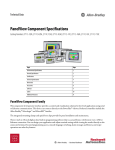
The PanelView™ 800 family consists of panel-mount display devices that offer keypad or touch-screen options for operator
input. These graphic terminals are available in 4…10 in. display sizes. They include 800 MHz CPU processors, highresolution displays with LED backlights, and high flash memory and dynamic memory. The built-in Ethernet and serial
communication ports support a variety of networks.
PanelView 800 terminals are optimized for compatibility with Micro800® and MicroLogix™ controllers. Additional features
include:
• High-resolution display with LED backlight with 65K colors
• Flexible application modes in landscape and portrait orientations
• High performance 800 MHz CPU processor with 128MB/256MB memory
• Alarm messages that include embedded variables
• Upload/download capability for groups of data or parameter settings with recipe capability
Typical applications for PanelView terminals include:
• Adhesive labelers
• Air handling units
• Material handling machines
• Stretch wrap machines
2
Rockwell Automation Publication 2711R-TD001A-EN-P - March 2015
PanelView 800 Terminals
Environmental Specifications
Table 1 - Environmental Specifications - PanelView 800 Terminals
Attribute
2711R-T4T, 2711R-T7T, 2711R-T10T
Temperature, operating
IEC 60068-2-1 (Test Ad, Operating Cold),
IEC 60068-2-2 (Test Bd, Operating Dry Heat),
IEC 60068-2-14 (Test Nb, Operating Thermal Shock):
0…50 °C (32…122 °F)
Temperature, nonoperating
IEC 60068-2-1 (Test Ab, Unpackaged Nonoperating Cold),
IEC 60068-2-2 (Test Bb, Unpackaged Nonoperating Dry Heat),
IEC 60068-2-14 (Test Na, Unpackaged Nonoperating Thermal Shock):
-25…70 °C (-13…158 °F)
Temperature, surrounding air, max
50 °C (122 °F)
Heat dissipation
2711R-T4T
2711R-T7T
2711R-T10T
23 BTU/hr
34 BTU/hr
61 BTU/hr
Relative humidity
IEC 60068-2-30 (Test Db, Unpackaged Damp Heat):
5…95% noncondensing
Vibration
IEC 60068-2-6 (Test Fc, Operating):|
2 g @ 10…500 Hz
Shock, operating
IEC 60068-2-27 (Test Ea, Unpackaged Shock):
15 g
Shock, nonoperating
IEC 60068-2-27 (Test Ea, Unpackaged Shock):
30 g
Emissions
IEC 61000-6-4
ESD immunity
IEC 61000-4-2:
4 kV contact discharges
8 kV air discharges
Radiated RF immunity
IEC 61000-4-3:
10V/m with 1 kHz sine-wave 80% AM from 80…2000 MHz
10V/m with 200 Hz 50% Pulse 100% AM @ 900 MHz
10V/m with 200 Hz 50% Pulse 100% AM @ 1890 MHz
10V/m with 1 kHz sine-wave 80% AM from 2000…2700 MHz
EFT/B immunity
IEC 61000-4-4:
±2 kV @ 5 kHz on power ports
±1 kV @ 5 kHz on communication ports
Surge transient immunity
IEC 61000-4-5:
±500V line-line(DM) and ±500V line-earth(CM) on DC power ports
±1 kV line-earth(CM) on communication ports
Conducted RF immunity
IEC 61000-4-6:
10V rms with 1 kHz sine-wave 80% AM from 150 kHz…80 MHz
Rockwell Automation Publication 2711R-TD001A-EN-P - March 2015
3
PanelView 800 Terminals
General Specifications
Table 2 - General Specifications - PanelView 800 Terminals
Attribute
2711R-T4T, 2711R-T7T, 2711R-T10T
Wire size
Input Power Terminal Block
Stranded or solid, Cu 90 °C (194 °F)
Single-Wire Gauge: 0.33…2.08 mm2 (22…14 AWG)
Dual-wire Gauge: 0.33…1.31 mm2 (22…16 AWG)
Wire type
Copper
Wiring category(1)
3 – on power ports
2 – on communication ports
Enclosure type ratings
Meets NEMA/UL Type 4X (indoor) 12, 13, and IP65
North American temperature
code
T4A
(1) Use this conductor category information to plan for conductor routing. See Industrial Automation Wiring and Ground Guidelines, publication 1770-4.1.
Certifications
Table 3 - Certifications - PanelView 800 Terminals
Certification(1)
2711R-T4T, 2711R-T7T, 2711R-T10T
CE
European Union 2004/108/EC EMC Directive, compliant with:
EN 61000-6-2; Industrial Immunity
EN 61000-6-4; Industrial Emissions
China RoHS
SJ/T 11364-2014, GB/T 26572-2011, SJ/Z 11388-2009
cULus
UL Listed Industrial Control Equipment, certified for US and Canada. See UL File E322657.
UL Listed for Class I, Division 2 Group A,B,C,D Hazardous Locations, certified for U.S. and Canada. See UL
File E334470.
KC
Korean Registration of Broadcasting and Communications Equipment, compliant with:
Article 58-2 of Radio Waves Act, Clause 3
RCM
Australian Radiocommunications Act, compliant with:
AS/NZS CISPR 11; Industrial Emissions
(1) See the Product Certification link at http://www.ab.com for Declarations of Conformity, Certificates, and other certification details.
4
Rockwell Automation Publication 2711R-TD001A-EN-P - March 2015
PanelView 800 Terminals
Technical Specifications
Table 4 provides technical specifications for the PanelView 800 terminals.
Table 4 - Technical Specifications - PanelView 800 Terminals
Attribute
2711R-T4T
2711R-T7T
2711R-T10T
Display type
Color transmissive TFT active matrix LCD, widescreen format
Display size
4 in.
7 in.
10 in.
Display area (WxH)
95 x 53.9 mm (3.74 x 2.12 in.)
153.6 x 86.6 mm (6.05 x 3.41 in.)
211.2 x 158.4 mm (8.31 x 6.24 in.)
Resolution (pixels)
480 x 272
800 x 480
800 x 600
Backlight
LED
Backlight lifespan, min
40,000 hours
Colors
65K colors
Operator input
Analog touch and function keys
Memory card
USB port and micro-SD (Secure Digital) card – Industrial grade micro-SD cards recommended. Supports SDSC and Class 6 & Class 10 SDHC micro-SD cards, FAT32/16
formats, up to 32 GB maximum size.
Real-time clock with battery
Yes
Battery lifespan, min
5 years @ 25 °C (77 °F)
Programming port
Ethernet port
Recipe
50 recipe files
Software
Connected Components Workbench software, release 8.0 and later
Preferred controller
Micro800, MicroLogix
Power Supply
24V DC
Processor, CPU speed
800 MHz CPU
Flash Memory (ROM) min
128 MB
256 MB
256 MB DDR
SDRAM (RAM) min
128 MB DDR
Operating System
WINCE 6.0
Power Consumption (max)
9 W (0.39 A @ 24V DC)
RS232/RS422/485 (isolated)
Separate RS-232 and RS422/RS485 connectors
Ethernet 10/100 Mbps
1
USB Host (USDB 2.0)
Yes
MicroSD slot
Yes
Input voltage range
18…32V DC (24V DC nom)
Analog touch
11 W (0.40 A @ 24V DC)
14 W (0.48 A @ 24V DC)
Weight, approx
0.333 kg (0.73 lb)
0.651 kg (1.44 lb)
1.64 kg (3.62 lb)
Dimensions (HxWxD), approx
116 x 138 x 43 mm
4.6 x 5.4 x 1.7 in.
144 x 197 x 54 mm
5.7 x 7.8 x 2.1 in.
225 x 287 x 55 mm
8.9 x 11.3 x 2.2 in.
Panel Cutout dimensions
(HxW)
99 x 119 mm
3.9 x 4.7 in.
125 x 179 mm
4.9 x 7.1 in.
206 x 269 mm
8.1 x 10.6 in.
Front Bezel Protection
IP65, NEMA 4X, 12, 13
Rockwell Automation Publication 2711R-TD001A-EN-P - March 2015
5
PanelView 800 Terminals
Product Dimensions
Figure 1…Figure 3 (along with Table 5) illustrate the dimensions of the PanelView 800 Terminals.
Figure 1 - PanelView 800 4-inch Terminals
c
d
a
b
Figure 2 - PanelView 800 7-inch Terminals
a
c
d
b
6
Rockwell Automation Publication 2711R-TD001A-EN-P - March 2015
PanelView 800 Terminals
Figure 3 - PanelView 800 10-inch Terminals
a
c
d
b
Table 5 - Product Dimensions - PanelView 800 Terminals
PanelView
800 Terminal
Operator Input
Height (a)
mm (in.)
Width (b)
mm (in.)
Depth Overall (c)
mm (in.)
Mounted Depth (d)
mm (in.)
Cutout Height, Cutout Width
approx
approx
4 in.
Touch screen and function keys
116 (4.6)
138 (5.4)
43 (1.7)
39 (1.5)
99 (3.9)
119 (4.7)
7 in.
Touch screen
144 (5.7)
197 (7.8)
54 (2.1)
50 (1.9)
125 (4.9)
179 (7.1)
10 in.
Touch screen
225 (8.9)
287 (11.3)
55 (2.2)
51 (2.0)
206 (8.1)
269 (10.6)
Accessories
Table 6…Table 9 list the accessories for the PanelView 800 terminals.
Table 6 - Adapter Plate Kit
Cat. No.
Description
Quantity
2711R-APK7
PanelView 800 Adapter Plate Kit for 7-Inch Terminal
1
2711R-APK10
PanelView 800 Adapter Plate Kit for 10-Inch Terminal
1
Cat. No.
Description
Quantity
2711R-CSP
PanelView 800 Stylus Pen
5
Table 7 - Stylus Pen
Table 8 - Terminal Blocks
Cat. No.
Description
Quantity
2711C-RJ422
5-pin connector for RS-422/485
10
Table 9 - Power Supply
Cat. No.
Description
Quantity
2711P-RSACDIN
DIN-rail mount AC-to-DC power supply, 85...265V AC, 47...63 Hz
1
Rockwell Automation Publication 2711R-TD001A-EN-P - March 2015
7
PanelView 800 Terminals
Software
PanelView 800 terminals are part of the Connected Components solution where the entire component family uses a single
software–Connected Components Workbench™ software–for controller programming, device configuration, and data
sharing. To use the Connected Components Workbench software effectively, your computer must meet the hardware
requirements shown in Table 10.
Table 10 - System Requirements- PanelView 800 Terminals
Component
Minimum System Requirements
Recommended System Requirements
Processor
Intel Pentium 4 2.8 GHz or equivalent
Intel Core i5 2.4 GHz or equivalent
RAM Memory
2 GB
8 GB or more
Hard Disk Space
10 GB free
10 GB free or more
Optical Drive
DVD-ROM
DVD-ROM
Pointing Device
Any Microsoft Windows-compatible pointing device
Any Microsoft Windows-compatible pointing device
Connected Components Workbench is supported on the following operating systems:
• Microsoft Windows® 7 (32-bit and 64-bit)
• Microsoft Windows® 8 and 8.1 (32 bit and 64 bit)
Note: Not recommended for use with the Micro810 due to USB Adapter driver. The driver will be updated in
Relese 8.
• Microsoft Windows 2008® (R2)
Additionally, Internet Explorer, which is installed with the operating system, is required to view the Connected
Components Workbench help.
Cables
Use these cables for connecting PanelView 800 terminals.
Table 11 - Cables for PanelView 800 Terminals
8
Cat. No.
Description
2711P-CBL-EX04
Ethernet crossover CAT5 cable 4.3 m (14 ft)
1747-CP3
Serial 9-pin D-shell to 9-pin D-shell null modem cable, 3 m (10 ft)
1761-CBL-PM02
Serial 9-pin D-shell to 8-pin mini DIN cable, 2 m (6.5 ft)
2711C-CBL-AB03
RS-485 5-pin to RJ45 cable
1763-NC01 series A
8-pin Mini DIN to 6-pin RS-485 terminal block
Rockwell Automation Publication 2711R-TD001A-EN-P - March 2015
PanelView 800 Terminals
This table provides a summary of connections to Micro800 controllers.
Table 12 - Protocol
Protocol
PanelView 800 Port
Micro820
Micro830
Micro850
Micro800 Plug-in Module
(2080-SERIALISOL)
Modbus (RTU) (HD)
RS-232
–(2)
1761-CBL-PM02
1761-CBL-PM02
–(2)
RS-485(1)
–(2)
–(2)
–(2)
–(2)
RS-232
–(2)
1761-CBL-PM02
1761-CBL-PM02
–(2)
RS-485(1)
–(2)
–(2)
–(2)
–(2)
Ethernet (AB CIP)
Ethernet
2711P-CBL-EX04 (CAT5
Ethernet)
N/A(3)
2711P-CBL-EX04 (CAT5
Ethernet)
N/A(3)
Modbus TCP
Ethernet
2711P-CBL-EX04 (CAT5
Ethernet)
N/A(3)
2711P-CBL-EX04 (CAT5
Ethernet)
N/A(3)
Serial (AB CIP)
RS-232
–(2)
1761-CBL-PM02
1761-CBL-PM02
–(2)
Modbus unsolicited (HD)
(1) RS-485 is isolated and is recommended for connecting to only one device with an isolated port.
(2) This controller includes a terminal block and requires wiring.
(3) This connectivity is not available for this controller.
This table provides a summary of connections to MicroLogix controllers.
Table 13 - Protocol
Protocol
PanelView 800 Port
MicroLogix (8-pin Mini
DIN) 1000, 1100, 1400,
1200LSP, 1500LSP (Ch 0)
MicroLogix (9-pin D
shell) 1500LRP (Ch 1)
MicroLogix 1100/1400
RS-485 (1763-NC01)
MicroLogix 1100, 1400
Ethernet
DF1
RS-232
1761-CBL-PM02
1747-CP3
–
–
DH-485
RS-232
1761-CBL-PM02
1747-CP3
Use AIC+ module
(1761-NET-AIC)
connect to port 3
–
RS-485(1)
–
–
Belden 3106A or
#9842 or equivalent
–
Modbus
RS-232
1761-CBL-PM02
1747-CP3
Use AIC+ module
(1761-NET-AIC)
connect to port 3
–
Ethernet
(MicroLogix/ENI)2
Ethernet
–
–
–
2711P-CBL-EX04
(CAT 5 Ethernet)
(1) RS-485 is isolated and is recommended for connecting to only one device with an isolated port.
Rockwell Automation Publication 2711R-TD001A-EN-P - March 2015
9
PanelView 800 Terminals
More Information
These documents contain more information about related products from Rockwell Automation.
Resource
Description
PanelView 800 HMI Terminals Installation Instructions, publication 2711R-IN001
Provides information on how to install and configure PanelView 800 terminals.
PanelView 800 Product Profile, publication 2711R-PP001
Provides a product description and information about product features and benefits.
PanelView 800 HMI Terminals User Manual, publication 2711R-UM001
Provides information on how to install, operate, configure, and troubleshoot
PanelView 800 terminals.
Industrial Automation Wiring and Grounding Guidelines, publication 1770-4.1
Provides general guidelines on how to install a Rockwell Automation industrial
system.
Product Certifications website, http://www.ab.com
Provides declarations of conformity, certificates, and other certification details.
You can view or download publications at http://www.rockwellautomation.com/literature/. To order paper copies of
technical documentation, contact your local Allen-Bradley distributor or Rockwell Automation sales representative.
10
Rockwell Automation Publication 2711R-TD001A-EN-P - March 2015
PanelView 800 Terminals
Notes:
Rockwell Automation Publication 2711R-TD001A-EN-P - March 2015
11
Important User Information
Read this document and the documents listed in the additional resources section about installation, configuration, and
operation of this equipment before you install, configure, operate, or maintain this product. Users are required to
familiarize themselves with installation and wiring instructions in addition to requirements of all applicable codes, laws,
and standards.
Activities including installation, adjustments, putting into service, use, assembly, disassembly, and maintenance are required
to be carried out by suitably trained personnel in accordance with applicable code of practice.
If this equipment is used in a manner not specified by the manufacturer, the protection provided by the equipment may be
impaired.
In no event will Rockwell Automation, Inc. be responsible or liable for indirect or consequential damages resulting from the
use or application of this equipment.
The examples and diagrams in this manual are included solely for illustrative purposes. Because of the many variables and
requirements associated with any particular installation, Rockwell Automation, Inc. cannot assume responsibility or
liability for actual use based on the examples and diagrams.
No patent liability is assumed by Rockwell Automation, Inc. with respect to use of information, circuits, equipment, or
software described in this manual.
Reproduction of the contents of this manual, in whole or in part, without written permission of Rockwell Automation,
Inc., is prohibited.
Documentation Feedback
Your comments will help us serve your documentation needs better. If you have any suggestions on how to improve this
document, complete this form, publication RA-DU002, available at http://www.rockwellautomation.com/literature/.
Rockwell Automation maintains current product environmental information on its website at
http://www.rockwellautomation.com/rockwellautomation/about-us/sustainability-ethics/product-environmental-compliance.page
Allen-Bradley, Connected Components Workbench, LISTEN. THINK. SOLVE, Micro800, MicroLogix, PanelView, Rockwell Automation, and Rockwell Software are trademarks of Rockwell Automation, Inc.
Trademarks not belonging to Rockwell Automation are property of their respective companies.
Rockwell Otomasyon Ticaret A.Ş., Kar Plaza İş Merkezi E Blok Kat:6 34752 İçerenköy, İstanbul, Tel: +90 (216) 5698400
Publication 2711R-TD001A-EN-P - March 2015
Copyright © 2015 Rockwell Automation, Inc. All rights reserved. Printed in the U.S.A.