1
3.
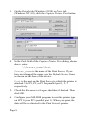
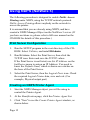
On the Details tab (Windows 95/98) or Ports tab
(Windows NT 4.0), click the Capture Printer Port button.
4.
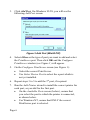
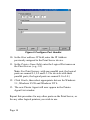
In the Path field of the Capture Printer Port dialog, shown
above, enter:
\\Server_name\Port
Server_name is the name of the Print Server. If you
have not changed the name, use the Default Server Name
as shown on the base of the device.
Port is the port on the Print Server to which the printer is
attached. Use P1, P2, or P3 for parallel port 1, 2, 3
respectively.
5.
Check the Reconnect at Logon checkbox if desired. Then
click OK.
6.
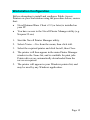
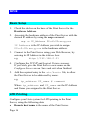
Configure your MS-DOS program to use this printer type
on LPT1 (your PC's parallel port 1). When you print, the
data will be re-directed to the Print Server's printer.
Page 8