1
Introduction
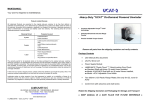
The extension of DVI-D video signal device up to 30/50
DVI
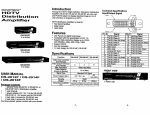
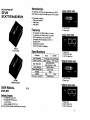
LOCAL FRONT VIEW
meter away by using DVI extender and two CAT.5 cables.
DVI extender is ideal for:
■ Test bench facilities
■ Data Center
■ Help desks
1. "DVI In" Port
2. Power Jack
Features
PC resolution to 1600x1200 60Hz / 30 meter.
PC resolution to 1280x1024 60Hz / 50 meter.
HDTV resolution up to 1080i / 50 meter.
Compliant with the specification of DVI 1.0.
LOCAL REAR VIEW
Support DVI-D.
Support DDC & HDCP.
Use CAT.5 cable to install easily.
DVI-LH
(Local)
1. Power LED
2. "CAT.5" DDC Port
3. UCAT.5M Video Port
FRONT VIEW
1."G)VI Out" Port
2. Power Jack
DVI-RH
(Remote)
USER MANUAL
DVI-EH
TE REAR VIEW
vi.o
Package Contents
■
■
DVI Extender Local Unit
DVI Extender Remote Unit
■
1 user manual
■
2 power adapter DC 5V 1.2A
1. Power LED
2. tt6AT.5M DDC Port
3. W6AT5" Video Port
Any thing missed, please contact with your vendor.
-1-
-2-
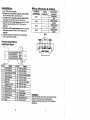
Installation
1. Turn off the PC and monitor.
2. Connect the DVI male/male extension cable between
the PC and the "DVI In" port of DVI-LH.
3. Connect the DVI male/male extension cable between
the monitor and the ttDVI Out" port of DVI-RH.
4. Connect the CAT.5 cable between the DVI-LH "CATS"
DDC port and the DVI-RH "CATS" DDC port of
extender
5. Connect the CAT.5 cable between the DVI-LH "CATS"
Video port and the DVI-RH "CATS" Video port of
extender.
PAIR 3
6. Connect the power cord and turn on the extender.
7. Turn on the PC and monitor.
PAIR 2
A
Technical Specifications
Input/Output Signal
T T
W> 0 VW3 BL wSl G W4R BR
PJN 1
JACK POSITIONS
Trademarks:
All the companies, brand names, and product names
referred to this manual are the trademarks or
registered trademarks belonging to their respective
companies.
-3-