1
Frame3DD User Manual
http://frame3dd.svn.sourceforge.net/viewvc/frame3...
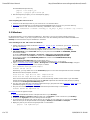
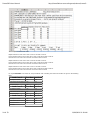
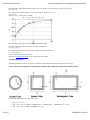
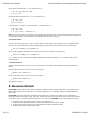
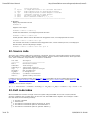
where MyResultsA.out is the name of of the Output Data file specified when running Frame3DD.
6. Click OK to see the next plot or Cancel to stop with the current plot.
7. To save the current plot as a PostScript file in the Frame3DD/examples folder, use the saveplot_w32 script
included in the Frame3DD/examples folder.
gnuplot> load 'saveplot_w32'
gnuplot> !copy my-plot.ps PlotFileA.ps
3.3.2 Installing from the binary installer
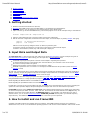
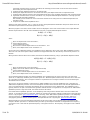
1. Install a good plain text editor for Windows: NotePad++, or jEdit, or gvim. A tutorial for gvim is here. Alternatively,
you may use NotePad.
2. Download and run the binary installer (frame3dd-VERSION.exe).
3. (Recommended) Put the Frame3DD directory in your path and set the PATH and FRAME3DD_OUTDIR
environment variables.
To do this, right-click My Computer > Properties > Advanced > Environment Variables
Set a new user variable name PATH with variable value %PROGRAMFILES%\Frame3DD
Set a new user variable name FRAME3DD_OUTDIR with variable value %HOMEPATH%\Desktop
\Frame3DD\temp .
You will need to create this Temp folder: Desktop\Frame3DD\temp before running Frame3DD.
Detailed information on how to set environment variables in Windows is here, if you need it.
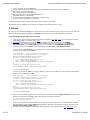
4. Copy one or more of the example files (eg exE.3dd) from your %PROGRAMFILES%\FRAME3DD\examples
folder into your Desktop folder
5. Open a "command prompt window" (Start > All Programs > Accessories > Command Prompt), change to the
directory of example files and run an example:
chdir %HOMEPATH%\Desktop
frame3dd exE.3dd exE.out
Some run-time information will be displayed on the Command Prompt window and the results of your Frame3DD
analysis will have been appended to the end of the exE.out Output Data file. Data files used primarily for plotting
are stored in the Desktop\Frame3DD\temp folder.
6. You may run Frame3DD, examine the analysis results, visualize the results using Gnuplot, and edit Input Data files
as described above.
3.3.3 Compiling the source on Windows
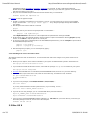
1. Install a GCC compatible compiler, such as the DJGPP gcc compiler, the LCC-win32 compiler, or the MinGW compiler.
2. Download the Frame3DD source-code tarball (frame3dd-VERSION.tar.bz2) and save it in your home directory.
3. Unpack the source code, enter the source directory, and build the code, as follows:
gcc -O -o frame3dd main.c frame3dd.c frame3dd_io.c ldl_dcmp.c lu_dcmp.c coordtrans.c eig.c nrutil.c -lm
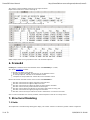
4. Matlab Interface
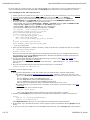
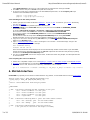
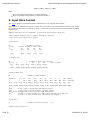
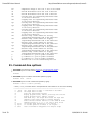
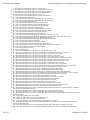
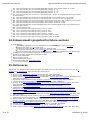
Frame3DD may optionally be executed from within Matlab on any platform, via the Matlab interface function frame_3dd.m
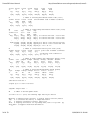
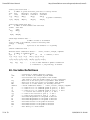
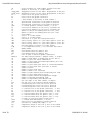
function [D,R,F,L,Ks] = frame_3dd(XYZ,JTS,RCT,EAIJ,P,U,D)
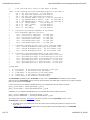
% [D,R,F,L,Ks] = frame_3dd (XYZ,JTS,RCT,EAIJ,P,U,D)
%
% Solve a a three-dimensional frame analysis problem
%
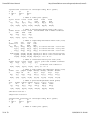
% INPUT DATA:
%
% XYZ : a 4xJ matrix containing the XYZ coordinate of each joint
% row 1 = X-axis coordinate for each joint
% row 2 = Y-axis coordinate for each joint
% row 3 = Z-axis coordinate for each joint
% row 4 = rigid radius for each joint
%
% JTS : a 2xB matrix indicating which 2 joints each frame element connects
% row 1 = the 'starting' joint for each frame element
% row 2 = the 'ending' joint for each frame element
%
% RCT : a 6xJ matrix indicated which joints have reactions
% 0: the joint has no reaction in that degree of freedom,
7 of 33
11/09/2010 11:18 AM