1
Videophone for iOS user manual . 4
1
Generic information
1.1
INTRODUCTION
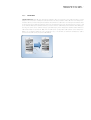
The app DIVUS VIDEOPHONE completes the DIVUS intercom portfolio and makes video communication possible
also on iOS devices. The app follows the Windows version of the Videophone-Software (now available in version
3.0) as well in functional as in design terms.
When starting the app for the first time, it will show a welcome message with some useful information. Before
being able to use the app, it namely has to be configured and integrated as VoIP member into the existing
system.
Note: This manual exclusively shows the configuration of the DIVUS VIDEOPHONE app and does not go deeper
into the intercom topic. Depending on the system in use, you can find more details regarding the whole setup
either in the manual of DIVUS VIDEOPHONE or in the ones of KNXCONTROL. In order to use the app it is
required that a configured and working VoIP server is present in the system and that a user for the app has
been configured correctly.
1.2
MINIMUM REQUIREMENTS
In order to run the Videophone app correctly the following requirements must be met:
•
iOS 6 or higher
•
Wifi access to the local network
•
Internet router with port forwarding for supporting 3G mode
•
Compatible VoIP server installed in the local network
1.3
LIMITATION
The operating system iOS implies some limitations:
•
The app can’t be automatically started on startup of the used device; only if the app was active
before shut down the device the operating system will start it automatically on startup of the device
•
The app must be active in fore- or background to be able to receive calls; if the app is closed totally
any call can be received on the iOS device.












![PLAS A O ]-OR](http://vs1.manualzilla.com/store/data/005852706_1-5db0b7ed584537f0e62af161fb124638-150x150.png)