1
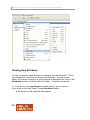
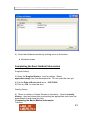
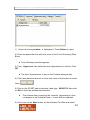
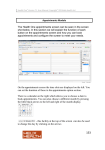
Health One Version 7.1 User Manual. Copyright 2011Helix Health Ltd quickly (keep the mouse perfectly still between clicks). ‘hypertension’ added to the medical history item. 4) Click OK to close the medical history: item. Repeating an Item We wish to record more medical history information for Sarah and to do this another medical history item is required. There is a quick way to do this if an item of the same type already exists in the transaction you are editing. Simply select (not edit) the item which is the same type and press the (=) equals key. 5) The highlight is now on the surgical history: item. Press the Up Cursor key once to re-select the medical history: item ( or simply click on it once with your mouse) ‘medical history:’ item now highlighted once more. 6) Press the equals key = once A new ‘medical history:’ item is inserted and opens for editing. 7) Double Click on pneumonia in the associated term list. ‘pneumonia’ added as a response for this item. 8) Do not close this item yet 87