1
4
Installation
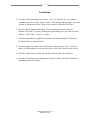
1) A window will open asking you to ‘Open,’ ‘Save,’ or ‘Run' the file. Any option is
acceptable, but it is easiest to ‘Open’ or ‘Run.’ The button is labeled ‘Open’ in earlier
versions of Windows and ‘Run’ in the newest version of Windows XP/Vista/7.
2) The file will now begin downloading. If you are using the newest version of
Windows XP/Vista/7, a security warning may open asking you if you wish to run the
software. Select ‘Run,’ ‘Accept,’ or ‘Allow.’
3) After the download has completed, the installer will start and display “Welcome to
the UB-04 Software Setup Wizard.”
4) Select the appropriate options for each message screen and click ‘Next.’ If you are
unsure of which options to select on each screen, click ‘Next’ for the default options.
5) Click the ‘Install’ button, which will install the software onto your hard drive.
6) Click the ‘Finish’ button, first making sure that the ‘Launch’ checkbox is marked to
immediately enter the software.
© 2009 UB-04 Software, Inc.
All rights reserved