1
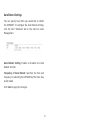
Auto Reboot Settings
You can specify how often you would like to reboot
the EAP900H. To configure the Auto Reboot settings,
click the Wi-Fi Scheduler tab on the side bar under
Management.
Auto Reboot Setting: Enables or disables the Auto
Reboot function.
Frequency of Auto Reboot: Specifies the time and
frequency in rebooting the EAP900H by Min, Hour, Day
and/or Week.
Click Save to apply the changes.
51