1
TS-7400/TS-9441 MANUAL
SOFTWARE
3.9 Getting Started with Linux
Logging In and Basic Commands
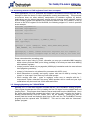
After the desired Linux Kernel is loaded and executed, the file system loads and
networking, logging, Apache web server, etc. are all started. When the login prompt is
displayed, type “root” to login, with no password. A Bash login prompt will then appear.
At this point, you are ready to enjoy your TS-7400 SBC running Linux. Some very basic
commands for one beginner user to start using Linux are:
✔
pwd: informs the current directory
✔
ls: lists current directory contents
✔
cd: changes directory
✔
man: accesses the system's manual pages of a given command
✔
cat: displays the entire content of a given file
vi: Linux most common file editor (reading further documentation is recommended)
The most common file handling commands are “cp”, “mv”, “rm”, “mkdir”. Help information
is provided by supplying “--help” to any given command, for example “cp –help”
✔
Shutdown
Use the “shutdown –h now“ command to halt the Linux system when running from
Compact Flash, SD or USB memory card to avoid a potentially lengthy file system check
on the next boot, since the file system running is EXT2 formatted.
On the other hand, the JFFS/YAFFS file systems are highly tolerant of power cycles while
the file systems are mounted. Therefore, the “shutdown” command is not required when
the root file system is JFFS/YAFFS, but is still recommended.
Initialization Scripts
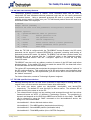
The initialization process reads the file “/etc/inittab”. The inittab file will call
“/etc/rc.d/rcS.sysinit” as part of the system initialization. The run level then defaults to 3,
which will run the “/etc/rcS” script and call all the scripts linked in the “/etc/rc3.d/” directory
in numerical order. For example, the following are the initialization scripts for run level 3
found at TS-Linux:
/etc/rc.d/rc3.d# ls
S10Network
S11portmap
S20inetd
S30telnetd
S40apache
Changing the run level or re-invoking the initialization scripts is possible through the “init”
command. A “halt” or “reboot” command will change the run level to 0 or 6 and execute
the “/etc/rc0.d” scripts or “etc/rc6.d” scripts respectively.
Network Setup
The main utilities for network configuration under Linux are:
✔
ifconfig: prints network settings and configures ethernet interfaces
✔
ifup: turns given network interface up
ifdown: turns given network interface down
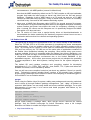
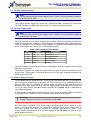
Entering “ifconfig” shows the current ethernet settings. These utilities require a network
device as parameter. On Linux, the ethernet devices are generally named eth0, eth1, etc.
Therefore, the command “ifup eth0” or “ifconfig eth0 up” brings up the on-board ethernet
interface on TS-7400 SBCs.
✔
© May, 2010
www.embeddedARM.com
21