1
A190
User Manual
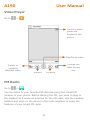
Music Player
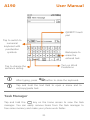
Go to
→
View the list of
artists, albums,
tracks, and playlists.
Open the playlist
Turn on/off songs
shuffle
Turn on/off repeat
songs
Play/Pause song
Play previously
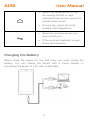
played song
Play next song in the
playlist
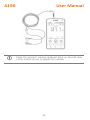
Press the phone’s volume up/down keys on the left side
of the mobile phone to adjust the volume.
You can use an SD card to enhance the storage capacity
for your multimedia files such as music, photos, emails,
and so on.
30