1
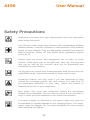
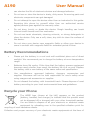
A190 User Manual can shorten the life of electronic devices and damage batteries. Do not use or store the device in dusty, dirty areas. Its moving parts and electronic components can get damaged. Do not attempt to open the device other than as instructed in this guide. Repairing this phone by yourself other than our authorized service agents/centers goes against the warranty rules. Do not drop, knock, or shake the device. Rough handling can break internal circuit boards and fine mechanics. Do not use harsh chemicals, cleaning solvents, or strong detergents to clean the device. Only use a soft, clean, dry cloth to clean the surface of the device. Do not store your device near magnetic fields or allow your device to come in contact with magnetic fields for extended period of time. Battery Recommendations Please put the battery in a cool and well-ventilated place out of direct sunlight. We recommend you to charge the battery at room temperature range. Batteries have life cycles. If the time that the battery powers equipment becomes much shorter than usual, the battery life is at an end. Replace the battery with a new battery of the same make and specification. Use manufacturer approved batteries, chargers, accessories and supplies. Micromax will not be held responsible for user’s safety when using unapproved accessories or supplies. Do not discard the battery with household trash. Please dispose of used battery according to your local environmental laws and guidelines. Recycle your Phone The WEEE logo (shown at the left) appears on the product (battery, handset, and charger) to indicate that this product must not be disposed off or dumped with your other household wastes. You are liable to dispose of all your electronic or electrical waste equipment by relocating over to the specified collection point for recycling of such hazardous waste. Collection and proper recovery of your electronic waste equipments at the time of 40