1
Precautions
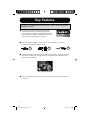
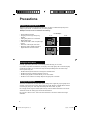
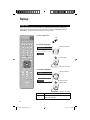
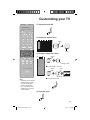
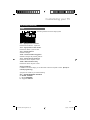
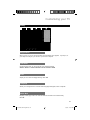
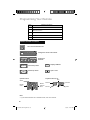
Package Contents
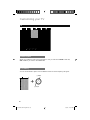
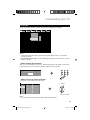
Make sure you have the following.
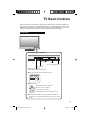
Television x 1
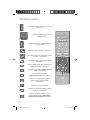
Remote Control x 1
AA Batteries x 2
V5
1
2
3
4
5
6
7
8
TUNE
0
–
DVD AUDIO
V4
–
VCR
V3
AA Alkaline
V2
AA Alkaline
STB
INPUT
V1
+
TV
MODE
+
POWER
9
RETURN +
– CH +
TV
– VOL +
MUTING
B AC K
MENU
LIGHT
OK
F
AV
OR
A SP
ITE
T
EC
DVR
STATUS
VIDEO
SOUND
SUB CH
TV/VCR
GUIDE
C.C.
SUB T.
DISPLAY
SLEEP
ML/MTS
RM-C1420
TV
• Stand, stand cover, screws and plates are included. See page 9.
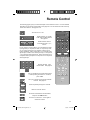
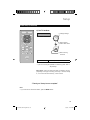
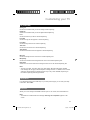
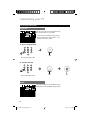
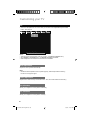
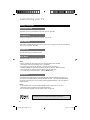
Insert the batteries
Use two “AA” batteries (included).
Place the "–" end in the unit first, making sure the "+" and
"–" markings are correct. Place the "–" end in the unit
first.
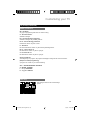
If this symbol is shown, it is only valid
in the European Union
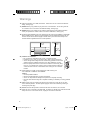
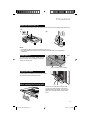
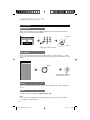
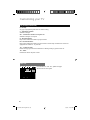
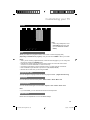
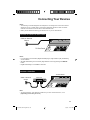
How to clean the frame and stand
Frame
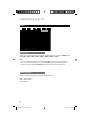
Your TV has a glossy frame and stand which
have protection sheets attached to them. Peel
them off before use, but only after the TV has
been properly placed. Take care with handling
the glossy frame and stand because these
surfaces are delicate. If the glossy frame or
stand becomes dirty, first dust it off, then wipe it
softly with a cleaning cloth. If you wipe without
dusting off, you may damage it.
Stand
10
LCT2443-001A-A English.indd 10
6/3/08 3:24:47 PM