1
GENESIS-VP™: User’s Manual
INSERT
Genesis-VP
Instructions for use of the target direction tracking mode.
Your Genesis-VP speed radar pistol may have had target direction tracking
mode added to its program software during product configuration. The
following explanations and instructions apply to target direction tracking
mode with the Genesis-VP.
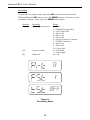
You can determine whether or not target direction tracking mode is on or off
by going into the secondary menu and toggling to the “dir” window. If it
says “on” then, of course, target direction tracking mode is on. If it says
“off” then, of course, it is off and the unit will function as a standard
Genesis-VP.
When operating the Genesis-VP in target direction tracking mode:
1.
The Genesis-VP will lock onto the target that has the strongest return
signal and also attempt to determine that target’s direction of travel.
The target’s speed will be displayed in the left window and, if
successful in determining target direction, the target direction will be
displayed in the right window. A “t” for “towards” will be displayed for
a target moving toward the Genesis-VP and an “A” for “away” will be
displayed for a target moving away from the Genesis-VP. If the
Genesis-VP is not successful in determining the target’s direction of
travel then neither a “t” or an “A” will be displayed.
2.
When you lock a target the locked target speed will be displayed in the
right window. The right display will alternately flash this locked speed
and the direction of the locked target (if the direction was determined).
3.
If you use the faster target mode in conjunction with the target direction
tracking mode then this rule of thumb applies… When the right window
is not being used by another function then a “t” for “toward” or an “A”
for “away” will be displayed in the right window to indicate the target’s
direction of travel.
2