1
4. Configuring the Machine Using Utilities
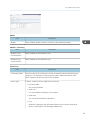
Details
Item
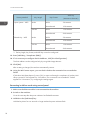
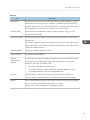
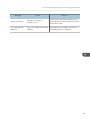
Default Gateway
Address
Description
Enter the default gateway address.
The default gateway address is the IP address of the host or router used as the
gateway when communicating (printing or exchanging information) with a
computer on another network.
When using DHCP, the default gateway address obtained from the DHCP
server is used. If the address cannot be obtained from the DHCP server, the
default gateway address set for the device is used.
DNS Server
Select whether to use the DNS server obtained from the DHCP server, or the
DNS server set for the device.
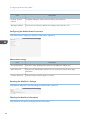
LPR
Select to enable network printing using LPR/LPD.
RAW
Select to enable network raw printing.
IPP
Select to enable network printing using Internet Print Protocol.
Configuring the IPv6 settings
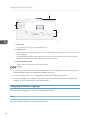
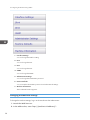
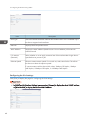
Click [IPv6] to display the page for configuring the IPv6 settings.
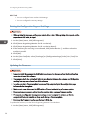
• In [LAN Type] in [Interface Settings], you can select [Ethernet] to display the wired LAN IP address,
or [Wireless LAN] to display the wireless LAN IP address.
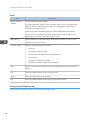
IPv6
Item
IPv6
42
Description
Select whether IPv6 is active or inactive.