1
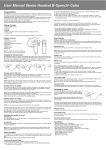
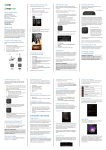
the phone, and set the phone to search for
Bluetooth devices. Check the user guide of
your phone for instructions.
Step-4 Select the headset (BH39) from the
list of found devices.
Step-5 When asked the PIN code, please
enter “0000” to pair and connect the
headset to your phone. In some phones
you may need to make the connection
separately after pairing. See the user guide
of your phone for details.
If the pairing is successful, the headset
enters idle state and blue light will flash
once every 5 seconds. The headset’s name
appears in the phone menu where you can
view the currently paired Bluetooth devices.
YOU ONLY NEED TO PAIR THE
HEADSET WITH YOUR PHONE ONCE.
NOTE FOR MULTI-POINT USE:
In order to pair a second mobile, please
press the volume - button for 3 seconds
until the red and blue light flashes
alternatively. You can then pair the second