1
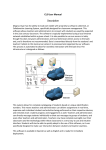
The user can zoom in and out to see in more detail where the device is located. The
software is accurate to within a few meters.
6. To factory reset the E90T when it is locked, follow this procedure:
A. hit the reset button to turn the device off.
B. Press and hold the power button and the volume up button at the same time
for 20 seconds
C. When an Android logo with a blue circling atom appears, you should release the buttons
D. The system recovery process will start and delete all information stored on the tablet. The tablet will be restored to its original factory settings.