1
COMPUTER CONTROL
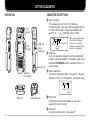
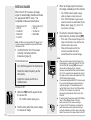
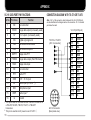
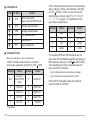
Computer COM Port Pin Functions (9-Pin Port)
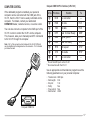
If the dedicated program is installed, your personal
computer can be connected with the COM jack of the
VC-H1, then the VC-H1 can be easily controlled via the
computer. For details, contact your authorized
KENWOOD dealer, customer service, or service center.
Pin No.
Pin Name
q
DCD
No connection
w
RXD
RX data
Pin 5 1
e
TXD
TX data
Pin 6 1
r
DTR
Data Terminal Ready
DSR 2
t
GND
Signal ground
y
DSR
Data Set Ready
DTR 2
u
RTS
TX request
CTC 2
i
CTS
TX enable
RTS 2
o
RI
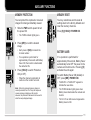
You can also connect a computer to the DATA port of the
VC-H1 in order to control the VC-H1 via the computer.
This, however, asks you to manually send ST commands
to the VC-H1 through the computer.
Note: Pin 1 of the connector, which mates with the VC-H1 DATA port,
can be identified with a triangle mark on the connector. Pin 1 is located
just below the mark.
1
2
Function
No connection
To
—
Pin 16 1
—
Pins of the DATA port on the VC-H1
No connection with the VC-H1
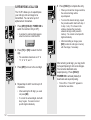
Use an appropriate communications program to set the
following parameters on your personal computer.
•
•
•
•
•
•
1
2
6
3
7
4
8
Transfer rate:
Data length:
Stop bit:
Parity:
Flow control:
Data format:
9600 bps
8 bit
1 bit
Non
Non
ASCII
5
9
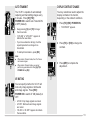
Computer COM Port
17