1
The Editor User Interface and Basic Operations
The Editor User Interface and Basic
Operations
The Editor User Interface
The editor window can be used for viewing OM, SC, DP, MSC and
HMSC diagrams.
The general Telelogic Tau user interface is described in chapter 1, User
Interface and Basic Operations.
These functions are provided:
•
The Entity Dictionary Window, which provides a name reuse facility as well as information for link endpoints.
•
A symbol menu where you select the symbols that are to be inserted.
•
A text window where you may edit text associated with symbols.
When you edit OM diagrams, three auxiliary windows are also provided:
•
The Browse & Edit Class Dialog which you use to browse amongst
and inspect and edit OM classes distributed across page and diagram boundaries.
•
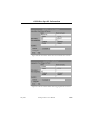
The Line Details Window which allows you to inspect and edit the
various attributes of OM lines.
•
The Symbol Details Window which allows you to inspect and edit
OM symbol attributes.
When you edit DP diagrams, two of the auxiliary windows are also
available:
•
The Line Details Window which allows you to inspect and edit the
various attributes of DP lines.
•
The Symbol Details Window which allows you to inspect and edit
DP symbol attributes.
When you edit MSC diagrams this function is also available:
July 2003
Telelogic Tau 4.5 User’s Manual
,um-st1
1579