1
3.
Description of Controls
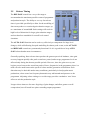
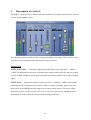
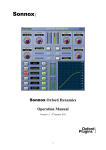
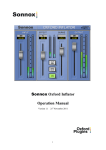
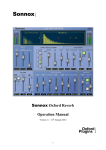
The plug-in’s user interface is divided into three main areas: an Input section, the Pre-Process
section, and an Output section:
Note that the parameter fields provide continuous feedback of settings values, and have typein fields so you can change values directly from your keyboard.
Input Section
INPUT GAIN fader — controls the input gain to the limiter processing from —18dB to
+18dB. The threshold for the onset of dynamic gain control action in the Pre-Process section
is fixed at 0dBr, 18dB of possible gain reduction is therefore available from a full level input
signal.
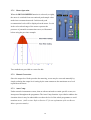
INPUT meter — displays the effective input level from —20dBr to +18dBr. Gain settings
producing effective programme levels above 0dB are subject to dynamic gain control; the
meter scale above 0dB displays the range of level where action occurs. The red overload
indication operates on input signal levels prior to the limiter processing, regardless of the
gain setting, in order to provide input overload warning at all times.
25