1
1
+24V(P1)
Fault
0V
0V
+24V(P2)
2
LNK
P
Stand by
RM
Stand by
ACT
10
Fault
RM
MAC-Address
USB
IP-ADDRESS
1
9
3
ON
4
5
V.24
6
3 4
0V
+24V(P2)
LNK
Fault
RM
ON
IP-ADDRESS
MAC-Address
USB
10
2
WARNING
UNINTENDED OPERATION Do not change
cable positions if DHCP Option 82 is enabled.
Check user manual before servicing.
V.24
1 2
9 10
3 4
11 12
5 6
13 14
7 8
15 16
ACT
WARNING
Fault
0V
UNINTENDED OPERATION Do not change
cable positions if DHCP Option 82 is enabled.
Check user manual before servicing.
+24V(P1)
P
Stand by
RM
Stand by
5 6
11 12
7 8
13 14
9 10
15 16
8
ConneXium Switch
ConneXium Switch
TCSESM163F23F0
7
7
TCSESM163F2CU0/CS0
7
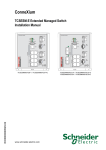
Figure 3: The figure shows the 16-port versions of the TCSESM.
1 to 9 – see fig. 1
10 – port 1 + port 2:
Twisted Pair T(X), RJ45, 10/100 Mbit/s
Multimode FX, DSC, 100 Mbit/s
Singlemode FX, DSC, 100 Mbit/s
31007118 - 06/2012
17