Download Advantage21 Programming Manual
Transcript
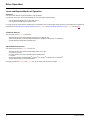
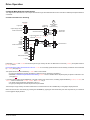
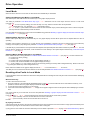
Drive Operation Local Mode When the ATV21 drive is in local mode, the LED above the LOC/REM key is illuminated. Starting and Stopping the Motor in Local Mode Start and stop the motor with the RUN and STOP keys on the graphic display terminal. The setting of parameter Local Mode Motor Stop Type F721 determines how the motor stops when the drive is in local mode (see page 55): • If F721 is set to 0 (factory setting), the motor will stop on a ramp, based on the time value set in parameter dEC (deceleration time 1) or parameter F501 (deceleration time 2). • If F721 is set to 1, power will be removed from the motor when the STOP key is pressed, allowing the motor to coast to a stop with the ramp-down time determined by inertia and friction. Use of the RUN and STOP keys in local mode can be disabled using parameter Disabling of graphic display terminal RUN and STOP Keys in Local Mode F733 (see page 58). Adjusting Motor Speed in Local Mode Set the motor speed using the UP and DOWN keys on the graphic display terminal. Motor speed can be adjusted while the drive is operating. Normally, motor frequency changes by 0.1 Hz each time the UP or DOWN key is pressed. This rate of speed change can be altered by entering a new frequency step change into parameter Local Mode Speed Reference Step Changes F707 (see page 55). If the ENT key is pressed after the motor speed has been adjusted, that speed setpoint value will be entered into parameter FC. The next time the drive is started in the local mode, it will accelerate the motor directly to the speed setpoint memorized by Local Mode Speed Reference FC (see page 54). Selecting Motor Rotation Direction in Local Mode Motor rotation direction is set by parameter Local Mode Motor Rotation Direction Command Fr (see page 54). The four selections are: • 0: Forward only (factory setting) • 1: Reverse only • 2: Forward, with reverse selectable from the graphic display terminal (1) • 3: Reverse, with forward selectable from the graphic display terminal (1) (1) If Fr is set to either 2 or 3, motor rotation can be set to forward by pressing the UP key while holding the ENT key. Reverse can be set by pressing the DOWN key while holding the ENT key. Motor rotation is indicated on the graphic display terminal as Fr-F for forward and as Fr-r for reverse. The ability to run in the Forward or Reverse direction can be set with parameter Motor Rotation Direction Command F311 (see page 57). Resetting drive Faults in Local Mode It is not possible to clear a drive fault if the cause of the fault persists. Be sure to diagnose and rectify the cause of the fault before attempting a drive reset. With the STOP Key To clear a drive fault in local mode: 1. Press the STOP key. See Automatically Resettable Faults on page 97 for a list of faults that can be reset with the STOP key. If it is possible to reset the drive, the graphic display terminal will display CLr. 2. To clear the fault, press the STOP key a second time. 3. If the cause of the fault is still present, the CLr display will not appear. Diagnose and solve the problem before attempting to reset the drive. Use of the STOP key as a fault reset can be set with parameter Disabling of graphic display terminal Fault Reset Function F735 (see page 58). In the event of an OL1 or OL2 fault, the following time periods must pass before a fault reset is possible: • OL1 (drive overload)—about 30 seconds after the occurrence of the fault • OL2 (motor overload)—about 120 seconds after the occurrence of the fault By Cycling Line Power A drive fault can also be reset by removing and restoring line power. Ensure that the cause of the fault is no longer present and leave power removed long enough for all of the LEDs on the face of the drive to extinguish. Cycling power to clear a fault can cause the fault history to be lost. Refer to parameter F602 on page 100 for Drive Fault Memory options. AAV75193 09/20009 33