1
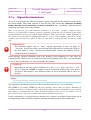
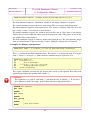
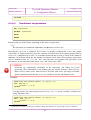
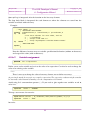
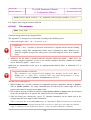
Project LXR Software release 2.0 Language en_UK The LXR Developer's Manual 6 Configuration Wizard Document revision 1.0 Some comments are erasable: they are not copied to the output file. They are identified with an hyphen (-) immediately following the comment start delimiter. If comment syntax needs an ending delimiter, the matching delimiter is immediately preceded by an hyphen. Examples; #- Erasable comments when comment ends at end of line #- The - marker must be repeated on every erasable line /*- With comments capable of extending -*- on multiple lines, strictly only the delimiters -*- need to bear the - marker -*/ If an erased comment leaves a blank line (no other data remains after erasure), the blank line is also removed to avoid excessive vertical spacing. A comment is an LCL statement if it starts in column 1 and the statement marker @30 immediately follows the comment start delimiter. No other noncomment data may be present after the comment. Examples: #@MSG This is an LCL statement /*@MSG This is also an LCL statement */ NonLCL examples: some data #@MSG This is a standard comment #@MSG This is not an LCL statement # @MSG neither this one some data /*@MSG standard comment*/ /*@MSG comment not LCL */ /* @MSG comment also */ /*@MSG message */ This data cause downgrading to ordinary comment When needed, LCL statements may span several lines. The form is slightly different depending on the existence of a closing comment delimiter. For shellstyle comments, a backslash ( \) immediately preceding newline (no whitespace allowed) requests continuation. Continuation lines start with #@ but are not anchored to column 1. The statement is continued starting with the first nonwhitespace character after the statement marker. #@MSG Beginning of \ #@ message (note: initial \ 30 This marker has been chosen as a tribute to a famous (and remarkably efficient) OS and hardware line of the '70s and '80s. Do the oldtimers remember? 90