1
ConnectX-4 Ethernet Single and Dual Port QSFP28 Adapter Card User Manual
4
Driver Installation
4.1
Linux Driver
Rev 1.3
For Linux, download and install the latest OpenFabrics Enterprise Distribution (OFED) software
package available via the Mellanox web site at: http://www.mellanox.com => Products => Software => Ethernet Drivers => Download. This chapter describes how to install and test the Mellanox OFED for Linux package on a single host machine with Mellanox ConnectX-4 adapter
hardware installed
4.1.1
Hardware and Software Requirements
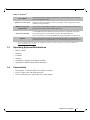
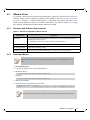
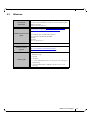
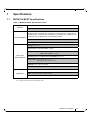
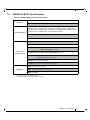
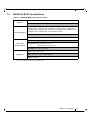
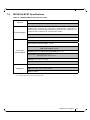
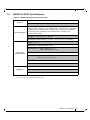
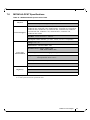
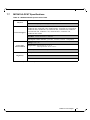
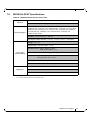
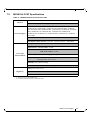
Table 5 - Hardware and Software Requirements
Requirements
4.1.2
Description
Platforms
A server platform with an adapter card based on one of the following Mellanox Technologies’ Ethernet HCA devices:
• MT4115 ConnectX®-4 (EN) (firmware: fw-ConnectX4)
For the list of supported architecture platforms, please refer to the Mellanox
OFED Release Notes file.
Required Disk
Space for
Installation
1GB
Device ID
For the latest list of device IDs, please visit Mellanox website.
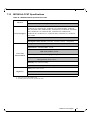
Operating System
Linux operating system.
For the list of supported operating system distributions and kernels, please
refer to the Mellanox OFED Release Notes file.
Installer
Privileges
The installation requires administrator privileges on the target machine.
Downloading Mellanox OFED
Step 1.
Verify that the system has a Mellanox network adapter (HCA/NIC) installed.
The following example shows a system with an installed Mellanox HCA:
# lspci -v | grep Mellanox
06:00.0 Network controller: Mellanox Technologies MT4115 Family [ConnectX-4]
Subsystem: Mellanox Technologies Device 0024
Step 2.
Download the ISO image to your host.
The image’s name has the format MLNX_OFED_LINUX-<ver>-<OSlabel><CPU arch>.iso.
You can download it from http://www.mellanox.com => Products => Software => Ethernet Drivers.
Step 3.
Use the md5sum utility to confirm the file integrity of your ISO image. Run the following
command and compare the result to the value provided on the download page.
host1$ md5sum MLNX_OFED_LINUX-<ver>-<OS label>.iso
Mellanox Technologies
21