1
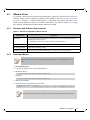
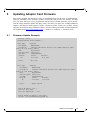
ConnectX-4 Ethernet Single and Dual Port QSFP28 Adapter Card User Manual Rev 1.3 4.2.6.2 Unattended Uninstallation If no reboot options are specified, the installer restarts the computer whenever necessary without displaying any prompt or warning to the user. Use the /norestart or /forcerestart standard command-line options to control reboots. To uninstall MLNX_WinOF2 in unattended mode: Step 1. Open a CMD console [Windows Server 2012 R2] - Click Start --> Task Manager -->File --> Run new task --> and enter CMD. Step 2. Uninstall the driver. Run: > MLNX_WinOF2-1_21_All_win2012_x64.exe /S /x /v"/qn" 4.2.7 Firmware Upgrade If the machine has a standard Mellanox card with an older firmware version, the firmware will be automatically updated as part of the WinOF-2 package installation. For information on how to upgrade firmware manually, please refer to MFT User Manual: http://www.mellanox.com/page/management_tools Mellanox Technologies 42