1
Max 8 and 8 Plus User’s Guide – Chapter 4
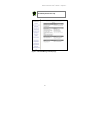
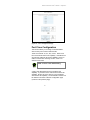
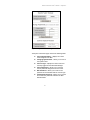
Figure 21 – System Information Page
The System Information page contains the following fields:
Current System Name -- displays the current
name assigned to the Max.
Changing System Name – allows you to enter a
new system name.
Current Login – displays the name of the user
currently logged into the Max Web Manager.
Current Password – allows you to enter the
current password assigned to the user name.
New Password – allows you to enter a new
password to be associated with the current login.
Confirm New Password – allows you to re-enter
and confirm the password entered in the New
Password field.
61