1
Operating Instructions MB 11
5 Getting started
All Notebooks delivered by MAICO have the correct settings and the MB 11
software is already installed. If you use a computer that is NOT provided by
MAICO please follow the instruction in chapter “Installation and Settings”
or contact your local dealer.
5.1 Unpacking your instrument
Your MB 11 BERAphone® was carefully inspected and packed for shipping.
However, it is good practice to thoroughly inspect the outside of the shipping box for signs of damage. Carefully remove the instrument from the
shipping box. Remove the plastic bag from the instrument and inspect the
case for any damage.
If any damage is noted, please notify the carrier immediately. This will assure that a proper claim is made. Save all packing material so the claim adjuster can inspect it as well. Notify your dealer or MAICO when the adjuster
has completed the inspection.
SAVE ALL THE ORIGINAL PACKING MATERIAL AND THE SHIPPING CONTAINER SO THE INSTRUMENT CAN BE PROPERLY PACKED IF IT NEEDS TO
BE RETURNED FOR SERVICE OR CALIBRATION.
All accessories are already packed in the compartment connected with the
MB 11 BERAphone®. Please check that all accessories listed below are received in good condition. If any accessories are missing or damaged, immediately notify your dealer or MAICO.
Standard Components:
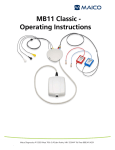
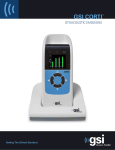
1 BERAphone® complete with integrated preamplifier, earphone and
three stainless steel electrodes with gel protectors
1 Cradle for BERAphone®
3 Additional stainless steel electrodes with gel protectors
1 USB connection cable
1 Carrying bag
1 bottle electrode-gel
1 CD with MB 11 software, 1 CD with Training Video
1 Operating Instructions
1 Short Manual
MB 11 BERAphone_e_3.0_12a.docx
15
852 013/9 06/12