1
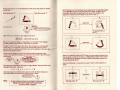
.. And The Different Bits axe:
... THERE ARE A FEW THINGS YOU NEED TO KNOW ABOUT FIRST
Firstly, things like these: o U j ^ H l N l / l j P
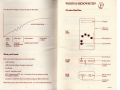
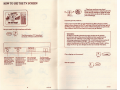
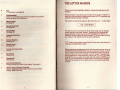
the DISPLAY
shows you what you have written.
the MEMORY
holds everything (well, up to 8,000
characters worth = about 5 pages)
you write, and keeps it stored even
when you switch the Microwriter off.
~
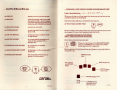
When you do start, you'll see signs like these pop up from time to time
in different places on the display.
Sometimes they shift about; sometimes they stay put.
AT THIS STAGE, IGNORE THEM.
the MAIN KEYBOARD
is what you write with.
the COMMAND KEY
is very important, but don't worry
about it yet.
You don't need to know about them yet, unless you get stuck. If so look it
up on page 42 to see what's happened and what to do.
the ON/OFF SWITCH
is what you turn your Microwriter
on and off with.
... YOU NEED TO KNOW A FEW THINGS
ABOUT THE MICROWRITER KEYBOARD:
the OUTPUT SOCKET
to connect the Microwriter to all
sorts of other gadgets (TV. s,
printers, etc).
It's not like a conventional keyboard.
the CASSETTE LEAD SOCKET
for connecting to Cassette
Recorders.
the MAINS CHARGER SOCKET
for feeding your Microwriter with
electricity.
the AUXILLIARY SOCKET
This is for Microwriter's use, so
ignore it for the moment.
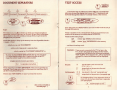
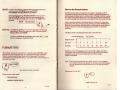
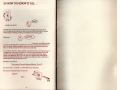
There are only 5 keys on the MAIN KEYBOARD,
plus the "COMMAND" key (which we needn't
worry about yet: try to ignore it).
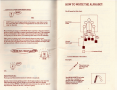
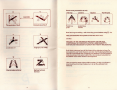
Here's a picture of it, showing where each finger on your right hand is
supposed to go:
MIDDLE finger
here
. RING finger key
this one's for
your INDEX.
finger
-LITTLE finger
on this one
-THUMB usually here
continued
-COMMAND key
(pretend it's not
there for now)
continued