1
159
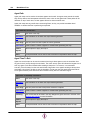
3.4.5
MassMotion Flow
nothrea
ds
the simulation.
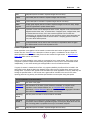
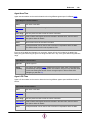
verbosit
y#
Control the number and verbosity of
messages written to the project
log.txt file. Possible values include
ERROR (only log error messages),
WARNING (log error and warning
messages), APPLICATION (log
errors, warnings, and standard
messages), VERBOSE, DEBUG.
The default is APPLICATION.
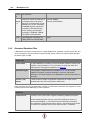
-verbosity DEBUG
-verbosity APPLICATION
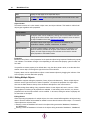
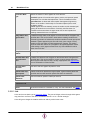
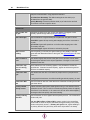
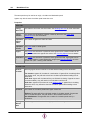
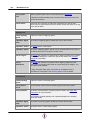
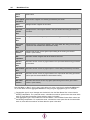
-dump
Write diagnostic information to a
'debug' folder in the results folder.
-dump
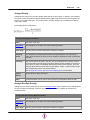
Generated Simulation Files
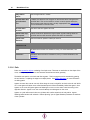
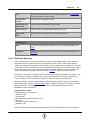
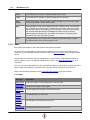
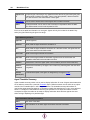
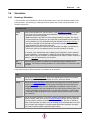
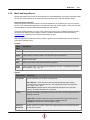
A MassMotion simulation records results in a single database file, generates a number of text files, and
can be configured to log icecache files for producing high quality renders. The following table describes
the various types of output.
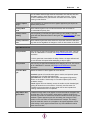
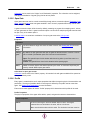
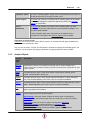
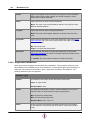
Output Type
results.mmdb
An sqlite database file containing all of the information required to analyse and
playback a single simulation run. For information on using map, table, and
graph queries to interrogate the database, see Analysis.
SimulationLog.txt
A text log file is created each time a simulation is run. The file contains
diagnostic information on project initialization, execution, and general
performance. All output displayed in the MassMotion console is also written to
the log file.
Text File (.csv)
Reports
A series of text file reports are generated. These files are simple comma
separated value files and are described in detail below.
Some report files are only generated when a project is closed. After a simulation has stopped, be sure to
close the project before attempting to open a report file.
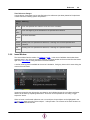
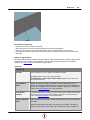
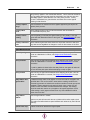
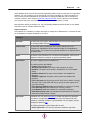
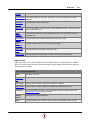
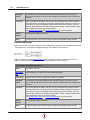
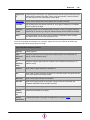
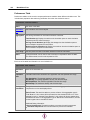
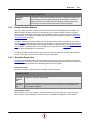
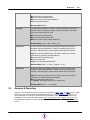
Report File
FlowCounts.csv
Provides a count of the number of agents transitioning between two objects.
Column headers describes one-way connections between two objects. A
column titled 'StairNorth -> FloorLowerConcourse' describes the transition
from StairNorth to FloorLowerConcourse. Motion in the reverse direction would
be counted in a separated column 'FloorLowerConcourse -> StairNorth'.
© 2015 Oasys Software Limited