1
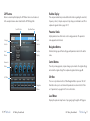
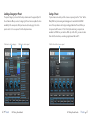
Category Selector
Presets for the algorithm are grouped into categories to make them easier to
find. For example, the Hall algorithm is broken into Small Halls, Medium Halls
and so on. Clicking in this area will show the list of categories. Selecting a
category will load the presets for that category in the Preset Selector.
Preset Selector
In Depth
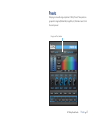
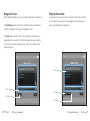
Realtime Display
The Realtime Display window allows you to visualize the reverberation in three
ways. While your ears will always be the primary tool in choosing and adjusting
presets, the displays provide a direct way to see what’s going on. Click anywhere
in the Realtime Display window to change the view.
Displays the list of presets within the selected category. Selecting a preset from
the list will cause the preset to be loaded into the plug-in.
Realtime Display
12 9 First Look
LXP Native | Reverb Bundle
LXP Native | Reverb Bundle
In Depth 9 13