1
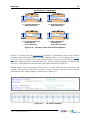
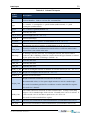
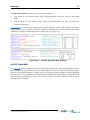
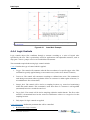
Overview 2 Overview 2.1 Software Structure 7 TUFLOW FV is the computational engine for carrying out 2D or 3D hydrodynamic calculations. TUFLOW FV does not have its own Graphical User Interface and utilises other third-party software for the creation, manipulation and viewing of data. As a minimum, a TUFLOW FV user requires access to: A text editor to create and edit TUFLOW FV control files (UltraEdit and Notepad++ are popular, although Notepad does suffice). SMS (Surface Modelling System - www.aquaveo.com/sms) for mesh generation, viewing 2D or vertically averaged 3D output (.dat format) and creating animations. The TUFLOW FV wiki contains some useful information to assist using SMS: http://fvwiki.tuflow.com/index.php?title=SMS_Tips. Other mesh generation tools could be used to create a TUFLOW FV mesh but have not been tested by BMT. Spreadsheet software such as Microsoft Excel for preparing boundary condition files and viewing/plotting model output. Advanced TUFLOW FV users are likely to utilise other software packages, including: 3D surface modelling software (e.g. Vertical Mapper) for the creation and interrogation of a Digital Elevation Model (DEM). Geographic Information Systems (GIS) such as MapInfo or ArcGIS that provide powerful environments for developing model components and presenting model output. MATLAB is used by BMT for preparing input data, viewing 2D and 3D netCDF output data and creating animations. Other numerical analysis packages with a netCDF library interface such as R, GNU Octave or Python NumPy would be equally useful for these purposes but have not been extensively tested by BMT. The TUFLOW FV executable (TUFLOWFV.exe) is a command console program. A model is started by calling the executable with the simulation control file (.fvc) as the first and only argument. If no argument is specified the command line will request the user input one. Should a complete GUI that allows the user to create, manage and view models and model output within the one interface be desired, an interface for TUFLOW FV within SMS has been developed. At present the interface does not allow access to all the features of TUFLOW FV, however, will be expanded in the future. Some common ways to call the TUFLOW FV executable and start a simulation are described in Section 6.2. TUFLOW FV USER MANUAL BUILD 2014-01