1
D. Flickr
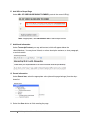
To insert media from Flickr:
1.
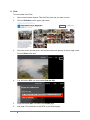
Open a new browser window. Find the Flickr photo set you want to insert.
2.
Click on Slideshow on the upper right corner.
3.
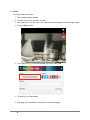
Move the cursor onto the photo, and various buttons will appear on the top right corner.
Click on Share at the end.
4.
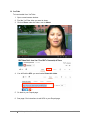
You will find the URL you need under Grab the URL.
5.
Copy the correct URL. Go back to the Drupal page.
6.
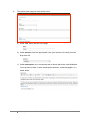
See page 6 for instructions to add URL to your Drupal page.
5
MHC Drupal User Manual: Embedded Media
03/20/13