1
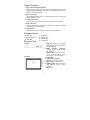
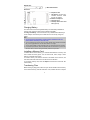
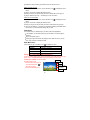
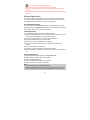
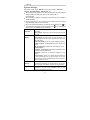
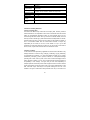
Feature Summary Built-in Android Operating System With the built-in Android OS, your Internet Tablet supports most of the popular third-party applications. Applications are available on the Internet or directly in your Internet Tablet. Wi-Fi Connectivity With the latest Wi-Fi technology, your Internet Tablet can connect you to the Internet wherever you are. 7-inch Touch Screen Touch or slide your finger in the screen, the screen responds instantly. Built-in G-sensor Allow the user interface to rotate its orientation to landscape or portrait automatically if the device rotates. Entertainment Allow you to enjoy music, movie or pictures anytime and anywhere. Package Content Main Unit AC Adaptor Stereo earphones User Manual USB cable Warranty Card Buttons & Ports User Manual Top View ab c Front View e d f g h i a. USB Port: connect to computer, USB flash drive, mouse or keyboard through USB cable. b. HDMI interface (optional): connects to LCD or monitor devices with HDMI port. c. Power button: press and hold to turn on or off the device; briefly press to turn on or off the screen. d. LCD Display e. Camera Lens (optional) f. Home: Go to the Home Screen. g. Menu: Display an overlay menu. h. SCROLL button: Roll in all ways to make selection; press to confirm selection. i. ESC: Return 5