1
Visual Drive Setup
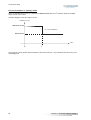
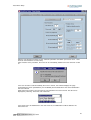
Note: The "dv" field corresponds to the level difference measured between cursors V1 and V2, provided that
both cursors have been assigned to the same curve.
6.5.2 - The zooms
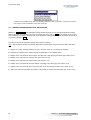
Use the keys Z oom+ and Z oom- for enlarging or reducing the curves width. The zoom is centered on the
position of the T1 cursor (whatever displayed or not). For zooming a specific area of the curve, drag at first
the cursor on this area. The scroll keys allow to display the complete curves when they are enlarged.
6.6 - LOADING OF A FILE
For the display of signals previously saved in a file, click on L oad in the main screen and select the desired
file. The curves recording files have got the extension ".osc".
6.7 - SAVING IN A FILE
For saving the curves in a file, click on S ave in the main screen, select the destination directory and name
the file. The ".osc" extension will be automatically added to the file name.
6.8 - COPY IN THE CLIPBOARD
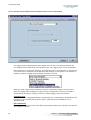
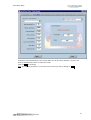
For copying the curves in the clipboard, click on C opy in the main screen and select the screen(s) to be
copied.
The copy is made in the Windows® clipboard in order to be included in a document or printed. The signal
names, their scale and the time base will be added to the curves in superposition.
Chapter 6 – Oscilloscope
51