1
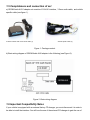
If the car has no NAV or XM leave the female end of the Toyota harness open.
9. For kits where vehicle specific harness is connected to the stereo using P-Taps such as
Nissan, Infiniti, BMW behind the stereo, Volvo, Mitsubishi and the others, please refer to the
specific vehicle harness installation manual that came with your kit.
10. Once the interface is connected to the radio, you will need to test the operation of the
interface before re-assembling the dash.
11. Turn your car stereo on and switch it over to the CD Changer mode using the Disk / Mode /
CD / AUX (depending on the stereo type) buttons on your car stereo until it shows Disk 1,
Track 01 on a display.
12. Connect the 3.5mm audio cable to the MP3 player or the iPod. Turn on the MP3 player or
iPod and play some tunes. You should now hear the sound coming from the car stereo.
13. Once the operation of the interface is confirmed, you may continue with the installation. If
you experience difficulties with the installation, please see our troubleshooting section.
14. Find a place where you can place the G-AUX1 adapter. In many cars, there is enough room
in the dash to place GROM.
Note: Make sure you mount the G-AUX1 adapter in the place with enough room so that,
when you re-mount the car stereo, you do not break the adapter.
15. You may use the glove box or other spaces inside the dash to direct Audio cables out.
16. Re-mount your car stereo, making sure its clips or strews are secure.
Adapter mounting in the trunk (for VW and BMW only)
1. Locate the trunk mounting cable in your car (usually located along the left side of the car in
the back).
2. Disconnect the existing CD changer, if present.
3. Attach the matching cables.
Note for BMW trunk installations: Some BMW are factory wired for the cellular phone. Except
for wire location, the factory cellular phone connector looks identical to the factory 3-pin connector
used for the CD changer. The CORRECT 3-pin connector for the CD-Changer has a BROWN wire
(ground) in the #1 pin position. Please make certain you use this connector. The INCORRECT
factory cellular phone connector has a BROWN wire in the center position – DO NOT USE
THIS CONNECTOR.
Congratulations! You have installed the G-AUX1 adapter. You may now use it with your MP3
player, Smartphone, XM, DVD or iPod/iPhone.