1
LAUNCH
5)
6)
AUTOBook User’s Manual
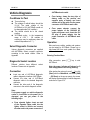
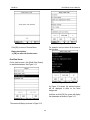
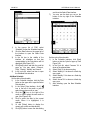
the Memo interface.
Click one memo in the memo list to open
the Memo Edit interface.
Click [New] button to open the New Memo
interface.
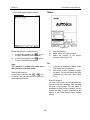
edited contents and close the Memo Edit
interface.
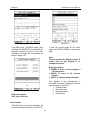
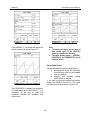
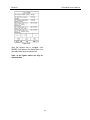
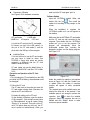
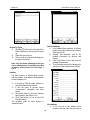
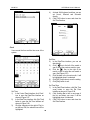
Figure 5-16
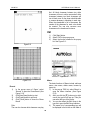
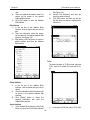
Delete Memo
1) In the list box of the Memo interface, click
the memo that you want to delete.
2) Then you can delete the memo in the
opened Memo Edit interface.
3) Click [Delete] button to delete the memo
and close the Memo Edit interface.
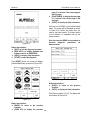
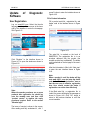
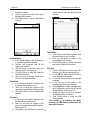
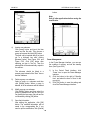
Figure 5-15
Add New Memo
1) In the Memo interface, click [New] button
to open the New Memo interface.
2) Activate Soft Keyboard, and fill the
subject and contents.
3) Click the button on top right corner, then
select the type in the pop-up list
4) Click [OK] button to save and close the
New Memo interface.
5) Then you can see the new memo in the
list box of the Memo interface.
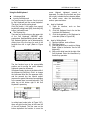
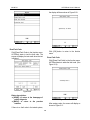
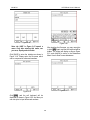
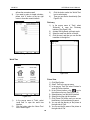
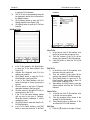
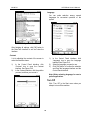
Edit Type
1) Click the [▼] button on the top right of the
interface so that the type list pops up.
2) In the type list, select the Edit Group to
open the Edit Group interface.
3) In the Edit Group interface, activate Soft
Keyboard.
4) In the text box at the bottom of the
interface, input the name of the type.
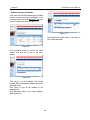
5) Click [Add] button to add a new type and it
will be displayed in the list box of the Edit
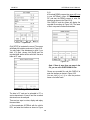
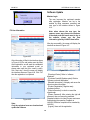
Group interface. (See Figure 5-17)
6) Select one type in the list box, and then
click [Delete] button to delete it.
7) Click [Close] button to close the Edit
Group interface.
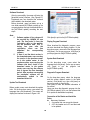
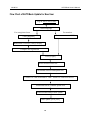
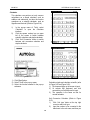
The interface : It represents the Memo
Interface, the New Memo interface and the
Memo Edit interface.
View Memo
1) In the list box of the Memo interface, click
the memo that you want to view.
2) Then you can view the contents of the
memo in the opened Memo Edit interface.
3) Click [OK] button to close the Memo Edit
interface.
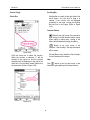
Edit Memo
1) In the list box of the Memo interface, click
the memo that you want to edit.
2) Then you can edit the contents of the
memo in the opened Memo Edit interface.
See Figure 5-16.
3) After editing, click [OK] button to save the
31