1
Using DiskOnChip with VxWorks
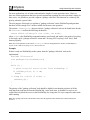
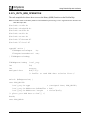
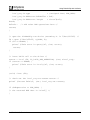
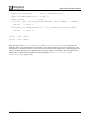
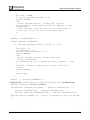
dosFsVolOptionsSet(tffs_dosFs_vol,
tffs_dosFs_vol->dosvd_options | DOS_OPT_CHANGENOWARN);
where tffs_dosFs_vol is a pointer returned by the routine dosFsDevInit().
(Refer to Section 3.4).
More detailed information on unexpected power shutdowns can be found in Chapter 7.
Note: Disabling the file system cache reduces the I/O performance of the DiskOnChip.
4
Booting VxWorks from the DiskOnChip (on an x86 Platform)
4.1
Boot Options
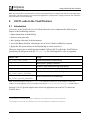
There are three basic VxWorks boot options supported by the TrueFFS driver:
•
Network boot
•
One-step standalone boot
•
Two-step standalone boot
Network boot
The bootfile BOOTROM.SYS that is located on the DiskOnChip acts as a secondary program loader
and uses the network connection to download the VxWorks application from the remote host. This
scenario is usually used during application development/debugging stage.
One-step standalone boot
The bootfile BOOTROM.SYS includes the application itself. This scenario is used for relatively small
applications that fit entirely into the first 640KB of RAM.
Two-step standalone boot
The bootfile BOOTROM.SYS acts as a secondary program loader and loads the application from the
DiskOnChip. This scenario is used with large VxWorks applications where a one-step boot cannot be
used because of the application's size.
The DiskOnChip supports both the network boot and the one-step boot and there is no need to make
any changes to the VxWorks boot code.
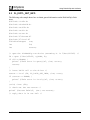
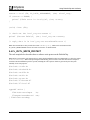
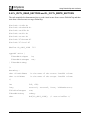
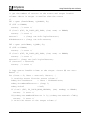
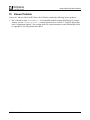
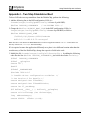
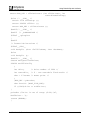
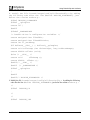
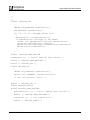
The two-step boot requires some minimal changes to the following VxWorks files:
•
BSP configuration .H file (i.e. Tornado/target/config/pc486/config.h in case of
pc486 BSP)
•
Tornado/target/config/all/bootConfig.c
•
Tornado/target/config/all/usrConfig.c
91-SR-005-38-7L Rev. 1.3
12