1
GETTING STARTED—
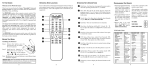
BATTERY INSTALLATION
CONTROLS AND JACKS
Install batteries in the remote control
(2 ”AA”, not included).
RIGHT-SIDE
PANEL
PRECAUTIONS
To ensure safe operation, please
observe the following precautions:
Power
key
Replace both batteries at the same
time. Do not use a new battery with a
used battery.
There’s a risk of explosion if a battery is
replaced by an incorrect type.
Volume
– + keys
Do not expose the Remote Control Unit to
moisture or heat.
Match the “+” and “–” signs on the
batteries with marks inside the
remote control.
Channel
keys
ANTENNA CONNECTION FOR
OFF-AIR SIGNALS OR CABLE
ANTENNA
ANALOG / DIGITAL
ANTENNA IN
OR
LEFT-SIDE PANEL
CABLE
THE TUNER IN THIS HDTV CAN RECEIVE :
a. Digital and Analog off-air signals from an
antenna.
OR
b. Analog or ClearQAM cable channels from a
direct Cable TV connection.
NOTES: You must use the on-screen MENU to Search
for ClearQAM Cable channels. (See page 10.)
For the best picture, connect your Cable box
or Satellite receiver to the Video1, 2, or 3
Input jacks.
S-Video Input (VIDEO1)
Digital Audio Output (Coaxial)
AV Input (VIDEO1 - Composite)
Component Video Input (VIDEO2 or VIDEO3)
Stereo Audio Out (L/R) Jacks
PC Input and Stereo Audio (Mini)
• MONITOR RGB (D-SUB)
• AUDIO R/L (Stereo Mini Jack)
Analog / Digital Antenna Input
This HDTV can receive ANY unscrambled RF
signal being broadcast.
Need help? Visit our Web site at www.sanyoctv.com or Call 1-800-877-5032
5