1
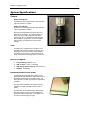
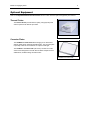
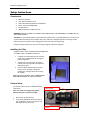
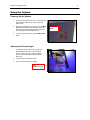
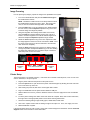
BioDoc-It Imaging Systems 7 Setup Instructions Components BioDoc-It Darkroom CCD Camera and Zoom Lens Camera/Lens Mounting Bracket and Hardware Power, Jumper and USB Cables Transilluminator USB Storage Device (1GB minimum) WARNING: DO NOT ATTEMPT TO CONNECT ANY WIRING WHILE THE EQUIPMENT IS CONNECTED TO THE POWER SUPPLY! CAUTION: Do not install the system in places with high moisture, dust, or high temperatures. Do not use any oil or petroleum based cleaners on the cabinet. Use only a mild soap or detergent solution for cleaning. Ensure that the system is turned OFF and is unplugged from its power source during cleaning. Keep the equipment away from motors or other large magnetic equipment apparatus. Installing the Filter Systems include a 50mm sq Ethidium Bromide (EtBr) filter. To install the filter in the BioDoc-It darkroom: 1. Carefully remove the filter from the protective plastic case, holding the filter at the edges to prevent fingerprints. 2. The filter tray is located under the camera bracket on the top right side of the darkroom. Slide the tray open. 3. Place the filter inside the filter tray. Ensure that the text on the edge of the filter is positioned so it is right side up when facing the installer. Additional filters are available. Refer to Replacement Parts and Accessories for ordering information. Camera Setup The camera and zoom lens are assembled at the UVP factory. Step-up ring Note: The zoom lens shipped may appear different than the one pictured at right. 1. Remove the cap from the lens. 2. If not already assembled, attach the step-up ring and diopter to the lens. The step up ring and diopter will only fit one way. Diopter