1
Preface
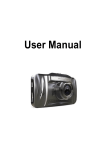
Thank you for purchasing the vehicle safety series product of High-definition
car camera recorder. This product is designed for traffic accident, while is
difficult to obtain evidence. lt is also suitable to meet the needs of other
occasions.
This product is the first car recorder to use 3.0 inch high definition screenf car
parking monitoring function with dual cameras and clear image. It has
industry leading design with high-definition camera, super low illumination,
ultra wide Angle lens, the G- Sensor features.
This user manual is convenience for you to learn operation notice,installation,
precautions and specifications. Please read this manual carefully before use
and fully understand. Please take good care of this manual. We hope our
products can meet your requirements and serve you all the time.
This product complies with FCC&CE authority certification, ensure customers
the use of security.
A. Wipe clean the windshield, Put suction mount against the glass in a suitable
position, Press the suction bracket handle to ensure that the bracket is well
fixed.
B. Check screen images, adjust the machine on the shooting Angle.
Use the car charger to connect the power.
Product structure:
eq
eqE
@ _P
.
@lflrWt
Ei!!E.
?
.E===_
i
Product Features :
1. Super-wide 200W pixels high and low intensity of illumination, 140
degrees ultra wide angle , 17mm camera lens
HD rear view video 720P
Separate dual lens, support two channel recording 1080p+720p at the
same time
E*ernal GPS module to record the track of driving (optional)
H. 264 compression format, 1080P video output, HD 30 fps
Built in G-Sensor, can be automatically forced to save the video before
and after impact, which is convenient to obtain evidence.
Support HDMI output
With Parking monitoring function, safety guard at every moment
One-key emergency HOLD video button
10. Truly seamless video, don't leave out any important data
11. Super strong 5 mm white light photography LED.
2.
3.
4.
5.
6.
7.
8.
9.
Installation:
Press the power button to turn on the recorder, set the time/date
and
functions. If do not set separately, all functions, time/date would be followed
the factory default values)
(l)Pow er button (2)M0DE button (3)MENU button (4)Rear view camera socket
(5)GPS socket (6)hdiator
(7)TF card sbt (8)USB Sbt (g)Bracket slot (10)
ltht
lkht
(Dspeaker slot (3)HDM 1 irteiftce
Display (7)OK button 08)up button (9) down button
bns
01) W
hite
(4)M
]C
0s)RESET 0ti)3.0
Power supplv:
1. Built-in 200mAH rechargeable polymer lithium battery, can maintain short
time Video or operation .
2. Use car charger to insert into the cigarette lighter , Camera will switch on
and begin recording automatically when start the car. Shut down
automatically and saved the data after power off.
Ooeratino instructions:
1.
2.
lnsert TF Card into card slot: please use high-speed card CLASS6 or
above
Press the power button to turn on/off (suggest formating the card when
2