1
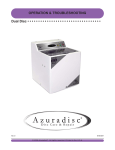
Operation & Troubleshooting
Uno
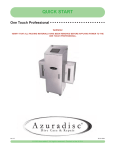
One Step Disc Repair Machine
uto
imed
iquid
brasive
uspension
echnology
TM
Repair a scratched disc to like new
with the push of a button.
Ver 1.0
07-16-2010
© 2010 Azuradisc . All rights reserved. Printed in the U.S.A.
SAFETY
When using the Azuradisc Uno disc repair machine, the following basic safety precautions should always be followed
to reduce the risk of fire, electric shock, or injury to persons:
•
Read this manual before assembling or using the machine.
•
Use this machine only for its intended use as described in this manual.
•
Use only with Azuradisc-recommended accessories and repair materials. (The use of repair materials
not approved by Azuradisc may damage discs permanently or cause injuries.)
•
Pay close attention when the machine is used near children. The machine is not intended for use by
children or infirm persons.
•
Do not operate the machine if the cord or plug is damaged, is not working properly, has been damaged,
or immersed in water. If these conditions are present, return the machine to Azuradisc for examination,
repair, or adjustment.
•
Do not drop or insert objects into any openings.
•
To disconnect, turn off the machine, then remove plug from the electrical outlet.
•
Use a grounded plug when using an extension cord.
•
Keep fingers and all body parts away from moving parts and openings.
•
Disconnect electrical supply before cleaning.
© 2010 Azuradisc All rights reserved. Printed in the U.S.A.
R
This manual may not be copied, in whole or in part, without written consent of Azuradisc. Use of the Azuradisc logo
without the prior written consent of Azuradisc may constitute trademark infringement and unfair competition in violation of federal and state laws.
Every effort has been made to ensure that the information in this manual is accurate. Azuradisc is not responsible
for printing or clerical errors.
Azuradisc Inc.
7307 South 89th Place
Mesa, Arizona 85212
480.827.8786
www.azuradisc.com
Azuradisc Inc. is not responsible or liable for damage, of any type, to discs inserted into an Azuradisc machine. If
you believe that an Azuradisc machine is malfunctioning, discontinue use and contact Azuradisc or an authorized
representative.
2
Ver 1.0
07-16-2010
TABLE OF CONTENTS
SAFETY . . . . . . . . . . . . . . . . . . . . . . . . . . . . . . . . . . . . . . . . . . . . . . . . . . . . . . . . . . . . . . . . . . . .2
OUT OF THE BOX . . . . . . . . . . . . . . . . . . . . . . . . . . . . . . . . . . . . . . . . . . . . . . . . . . . . . . . . . . . .4
PART IDENTIFICATION . . . . . . . . . . . . . . . . . . . . . . . . . . . . . . . . . . . . . . . . . . . . . . . . . . . . . . . .4
IMPORTANT INFORMATION . . . . . . . . . . . . . . . . . . ........ . . . . . . . . . . . . . . . . . . . . . . . . . . . . . . .5
SET UP . . . . . . . . . . . . . . . . . . . . . . . . . . . . . . . . . . . . . . . . . . . . . . . . . . . . . . . . . . . . . . . . . . . .6
BASIC OPERATION . . . . . . . . . . . . . . . . . . . . . . . . . . . . . . . . . . . . . . . . . . . . . . . . . . . . . . . . . . .7
WALKTHROUGH . . . .
SELECT TO START . .
ABOUT REPAIR . . . . .
POLICOOL LOW & LID
.....
.....
.....
OPEN
........
........
........
SCREEN:
.
.
.
.
.
.
.
.
.
.
.
.
.
.
.
.
.
.
.
.
.
.
.
.
.
.
.
.
.
.
.
.
.
.
.
.
.
.
.
.
.
.
.
.
.
.
.
.
.
.
.
.
.
.
.
.
.
.
.
.
.
.
.
.
.
.
.
.
.
.
.
.
.
.
.
.
.
.
.
.
.
.
.
.
.
.
.
.
.
.
.
.
.
.
.
.
.
.
.
.
.
.
.
.
.
.
.
.
.
.
.
.
.
.
.
.
.
.
.
.
.
.
.
.
.
.
.
.
.
.
.
.
.
.
.
.
.
.
.
.
.
.
.
.
.
.
.
.
.
.
.
.
.
.
.
.
.
.
.
.
.
.
.
.
.
.
.
.
.
.
.
.
.
.
.
.
.
.
.
.
.
.
.
.
.
.
.
.
.
.
.
.
.
.
.
.
.7
.7
.7
.7
INFO MENU . . . . . . . . . . . . . . . . . . . . . . . . . . . . . . . . . . . . . . . . . . . . . . . . . . . . . . . . . . . . . . . . .9
TROUBLE SHOOTING. . . . . . . . . . . . . . . . . . . . . . . . . . . . . . . . . . . . . . . . . . . . . . . . . . . . . . . . . 15
MAINTENANCE. . . . . . . . . . . . . . . . . . . . . . . ........ . . . . . . . . . . . . . . . . . . . . . . . . . . . . . . . . . . .16
EDUCATION . . . . . . . . . . . . . . . . . . . . . . . . . . . . . . . . . . . . . . . . . . . . . . . . . . . . . . . . . . . . . . . .19
HOW DISCS ARE MADE . . . . . . . . . . . . . . . . . .
HOW A DVD IS MADE . . . . . . . . . . . . . . . . . . . .
Single Layer DVDs . . . . . . . . . . . . . . . .
Double Layered DVDs . . . . . . . . . . . . . .
Double Sided DVDs . . . . . . . . . . . . . . . .
Double Sided/Double Layered DVDs . . . .
IDENTIFYING SCRATCHES . . . . . . . . . . . . . . . .
Reading Side Scratches - CDs, CD-ROMs
Top Side Scratches . . . . . . . . . . . . . . . .
Top Side Foil Dents . . . . . . . . . . . . . . . .
.......
.......
.......
.......
.......
.......
.......
& DVDs
.......
.......
.
.
.
.
.
.
.
.
.
.
.
.
.
.
.
.
.
.
.
.
.
.
.
.
.
.
.
.
.
.
.
.
.
.
.
.
.
.
.
.
.
.
.
.
.
.
.
.
.
.
.
.
.
.
.
.
.
.
.
.
.
.
.
.
.
.
.
.
.
.
.
.
.
.
.
.
.
.
.
.
.
.
.
.
.
.
.
.
.
.
.
.
.
.
.
.
.
.
.
.
.
.
.
.
.
.
.
.
.
.
.
.
.
.
.
.
.
.
.
.
.
.
.
.
.
.
.
.
.
.
.
.
.
.
.
.
.
.
.
.
.
.
.
.
.
.
.
.
.
.
.
.
.
.
.
.
.
.
.
.
.
.
.
.
.
.
.
.
.
.
.
.
.
.
.
.
.
.
.
.
.
.
.
.
.
.
.
.
.
.
.
.
.
.
.
.
.
.
.
.
.
.
.
.
.
.
.
.
.
.
.
.
.
.
.
.
.
.
.
.
.
.
.
.
.
.
.
.
.
.
.
.
.
.
.
.
.
.
.
.
.
.
.
.
.
.
.
.
.
.
.
.
.
.
.
.
.
.
.
.
.
.
.
.
.
.
.
.
.
.
.
.
.
.
.
.
.
.
.
.
.
.
.
.
.
.
.
.
.
.
.
.
.
.
.
.
.
.
.
.
.
.
.
.
.
.
.
.
.
.
.
.
.
.
.
.
.
.
.
.
.
.
.
.
.
.
.
.
.
.
.
.
.
.
.
.
.
.
.
.
.19
.19
.19
.19
.19
.19
.20
.20
.21
.21
AZURADISC ONE-YEAR/100,000 DISC LIMITED WARRANTY . . . . . . . . . . . . . . . . . . . . . . . . . . .22
EXCLUSIONS AND LIMITATIONS . . . . . . . . . . . . . . . . . . . . . . . . . . . . . . . . . . . . . . . . . . . . . . . . . . . . . .22
OBTAINING WARRANTY SERVICE . . . . . . . . . . . . . . . . . . . . . . . . . . . . . . . . . . . . . . . . . . . . . . . . . . . .22
WARRANTY COVERAGE . . . . . . . . . . . . . . . . . . . . . . . . . . . . . . . . . . . . . . . . . . . . . . . . . . . . . . . . . . . .23
3
Ver 1.0
07-16-2010
OUT OF THE BOX
After unpacking the Uno, verify the following items, in the quantities shown, are included. Contact Azuradisc, or
the local representative if any items are missing. Place the machine on sturdy surface. Ensure there are no obstructions
of air circulation around the bottom and rear of the machine. Make sure that new cartridges are not stored within 2 feet of the
Uno.
TM
1 ea. - PoliCool
v4.0 Cartridge Kit
TM
Includes 32oz of PoliCool , and 2 Pads.
Item # uno_02889_0 (Sold as a Kit)
(Combo Item)
1 ea. - Micro-Fiber Wiping Cloths 6x6 - Hand washable and reusable super soft
material to clean optical surfaces.
1 ea. - Optical SprayCleaner 2oz.- Laser clear anti-static formula spray cleaner.
Item # CK 00262 3
1 ea. - Maintenance Kit - Small brush, 2 hex key wrenches. (tl_03044_2)
1 ea. - Power Cord
1 ea. Scratch Removal Poster
Item # adv_00222_7
PART IDENTIFICATION
A Access Door:
• PolicoolTM Cartridge
• Easy access to PoliCoolTM pump
• Easy access to PoliCoolTM Mixer
F
B Safety Lid:
• Automatic shut-off when open
C
CAUTION!
Make sure there is adequate room
for air flow around and
underneath the machine
AT ALL TIMES!
C Aluminum Casing
• Will not conduct electricity
• Waterproof
• Easy to clean
A
B
D Side mounted cooling fans
B
E AC Electric input recepticle
E
• Industrial Strength
• Fused
• On/Off Switch
F
D
C
F Electronic Controller and User Interface
D
4
Ver 1.0
07-16-2010
Important Information
About PoliCool & Smart Chip Technology
TM
What is PoliCoolTM ?
PoliCoolTM is an advanced formula of micro-abrasives particles, along with a cooling solution and other
proprietary ingredients mixed together in a single liquid to provide maximum scratch removal and polishing properties.
Performance
PoliCoolTM outperforms polish compounds in cut rate & finish. PoliCoolTM lasts longer than most fixed abrasives. One of the greatest benefits of PoliCoolTM is that it can be recycled over and over (with filtering)
until it has reached the end of its useable life. This creates the benefits of cooling a disc during repair
without creating wastewater, or having a complex recirculation system. There is no need to add water,
or clean up messy polish compound splatter or dust from the machine similar to those used in "water
based" or "dry process" machines. PoliCoolTM is automatically recycled back into the cartridge at the end
of the cycle.
Usable Life
The performance and life of this product is measured in seconds run time. Different size containers and
mixtures contain a smart chip with the information containing the maximum "seconds of run time" per
cartridge. If PoliCoolTM were used beyond this life, poor performance would result, and disc damage
could occur. Since product life is critical to performance, PolicoolTM is only sold in containers called cartridges that contains a smart chip.
About the Smart Chip IMPORTANT MUST READ INFORMATION
Each PoliCoolTM cartridge is outfitted with a smart chip that carries the information about the maximum
useable life (run time) of each individual cartridge. Azuradisc disc repair machines that use PoliCoolTM
technology are outfitted with a smart chip reader that reads and transfers the "run time" information
from the cartridge to the disc repair machine. Once transferred, the runtime information cannot be
transferred back to the PoliCoolTM cartridge, nor can it be transferred to a different machine. To get maximum life out of each PoliCoolTM cartridge, it must be completely used before replacement. Once a cartridge has been mated with a machine, only that machine (not the cartridge) keeps track of the credits
of repair seconds and assumes that the same cartridge stays in place to be used until that repair time is
used-up. The cartridge itself is no longer able to identify itself or to provide left-over credits to this or
any other machine.
While it is possible to remove a partially used cartridge from the machine (for transportation or to shake
and mix the liquid) it is important that the same cartridge is reinserted in the same machine to be able
to use-up the remaining credits.
PLEASE NOTE:
- Inserting a new cartridge in a machine that still has credits left from a previous cartridge will
ERASE the original credits left from the previous cartridge and replace them with the credit for the new
cartridge.
- Inserting a partially used cartridge in another machine will not transfer any credit.
Azuradisc does not provide refunds or credits for losses due to premature replacement of PoliCoolTM cartridges or the improper exchange of cartridges between machines.
5
Ver 1.0
07-16-2010
SET UP - SUPPLIES - CARTRIDGE & PAD INSTALLATION
To be performed initially and each time you replace the consumables.
IMPORTANT! Always change the abrasive & finishing pads when installing a new cartridge.
1
Insert mixer assembly into a new bottle of PoliCool
TM
2
.
With machine turned off, and lid closed,
insert assembly into machine under drain spout.
Note: The power cord and tubing will spin the
mixer top as it is inserted, this is normal.
This Side out Label
3
Power the machine on. The Switch is located on the back
of the unit. Upon Boot Up, the smart chip reader will
automatically load 6600 seconds of PoliCool TM time from the
smart chip. The machine will not operate without policool
time loaded. For more info on loading PoliCool see
4
Smart Chip located here under label.
Run mixer first for 60 seconds, then Prime lines using the
pump prime screen until liquid is flowing and no air bubbles
are present. It may take more than one prime cycle.
Press the
button, use the
buttons to scroll to the mixer or pump
prime screens. Pressing the enter button turns each on for 60 seconds.
Press
to stop prematurely and return to main screen.
Scroll Forward
Pump Prime
f : Start Sec: 00
Information
Enter
Scroll Back
5
Installing New Polishing Pads
The Abrasive & Finishing Pads must be replaced each time a new bottle of PolicoolTM is installed. They are attached
using velcro, to remove gently peel off pad from base, to install new ones align and press down firmly.
6
Ver 1.0
07-16-2010
BASIC OPERATION
(Figure 2.1)
For proper operation the lid must be both
closed and locked by compression.
Place a Disc on the spindle
as shown (repairable side will
contact pad when lid is closed)
To lock, Turn the latch clockwise until the lid
is pulled down and the latch is compressed as
shown in Figure 2.1
Open and unlocked
Lid will open and close easily.
Not Compressed, Not Locked
Lid will not close if in this position,
if lid is closed, it is not locked
Closed and locked
To lock, turn knob clockwise until
it compresses lid and locks
Select Repair Cycle
Time Remaining
Sec: 59 AD:On
After repair cycle is finished remove
Disc from spindle.
Number = Length of time in seconds
After pressing your selected time cycle, the machine
will start automatically and the screen will show the
cycle time as it counts down to zero, the machine
shuts off automatically.
7
Ver 1.0
07-16-2010
INFORMATION SCREENS
Please Load Policool
NO PoliCool Time Remaining
Policool Time Display
PoliCool Time Remaining
Turn off Load New
PoliCool Turn ON
PoliCool Time
Sec: 6600 DryOn
Displays remaining PoliCool time
in seconds.
To load a new cartridge, turn off
machine, load new cartridge,
power on machine, PoliCool will
load automatically.
PoliCool Low Screen
Lid Open Screen
Machine Will Not Operate With Lid Open
PoliCool Low !
f :Reset Warning
Lid Open
Please Close
At 1500 seconds the screen
will indicate a warning. Once
it reaches 0 seconds, the
machine will no longer start.
Install new cartridge as
described above.
8
Ver 1.0
07-16-2010
INFO MENU
Press
from the
main screen to get to
main info shown at
right.
Forward Scroll Button
Info>:NextScreen
f:Smart Tag Test
Info
Button
Enter
Button
Press
at any time
to return to the main
screen
Reverse Scroll Button
• Mixer
Press the
button, use the
buttons to
scroll to the mixer screen.
Pressing the
button turns the mixer on for
60 seconds. Press
to stop prematurely and
return to main screen.
Mixer
f:Start Sec:00
• Prime Pump
Press the
button, use the arrow buttons to scroll to the prime pump screen.
Pressing the
button turns on the
PoliCool pump for 60 seconds.
Press
to stop prematurely and return to
main screen.
Pump Prime
f:Start Sec:00
• PoliCool TM Loads
Press the
button, use the
buttons to
scroll to the PoliCool Loads screen
to see the number of cartridges used.
PoliCool Loads
Total:
9
• Total Runtime Meter
Press the
button, use the
buttons to scroll to the Runtime
Meter screen to see the total
amount of cycle run time.
Total Runtime
Minutes:
33
9
Ver 1.0
07-16-2010
Forward Scroll Button
Info>:NextScreen
f:Smart Tag Test
Info
Button
Enter
Button
Reverse Scroll Button
• Auto Dry On/Off
Press the
button, use the
buttons
to scroll to the auto dry screen.
Pressing the
button turns auto dry on or off.
(This procedure can only be performed
if time has been loaded)
Auto Dry On.Off
Auto Dry = Off
Turning Off Dry
Run Cycle Timer!
Dry Time 10 Sec
On
Auto Dry On.Off
Auto Dry = Off
Wet Time 10 Sec
On
Dry Time 3 Sec
= On/Off Off
Forward Scroll Button
Info>:NextScreen
f:Smart Tag Test
Info
Button
Enter
Button
Reverse Scroll Button
Loading Dry Time
Please Wait!
Dry Time 5 Sec
= On/Off Off
Dry Time 3 Sec
= On/Off Off
Loading Default
10 Sec Dry Time
Dry Time 7 Sec
= On/Off Off
INFO MENU
Press “i” from the
main screen to get to
main info shown at
right.
RECIPE SCREENS
Forward Scroll
Button
Info>:NextScreen
f:Smart Tag Test
Info
Button
Enter
Button
Press “i” at any time
to return to the main
screen
Reverse Scroll
Button
• 180 Second Cycle Count
Press the
button, use the
buttons to scroll to the count screen. Displays
recipe tracking.
180 Second Recipe
Count:
3
• 120 Second Cycle Count
Press the
button, use the
buttons to scroll to the count screen. Displays
recipe tracking.
120 Second Recipe
Count:
2
• 90 Second Cycle Count
Press the
button, use the
buttons to scroll to the count screen. Displays
recipe tracking.
90 Second Recipe
Count:
2
• 30 Second Cycle Count
• 60 Second Cycle Count
Press the
button, use the
the count screen. Displays recipe tracking.
Press the
button, use the
buttons to
scroll to the count screen. Displays recipe tracking.
buttons to scroll to
30 Second Recipe
Count:
18
60 Second Recipe
Count:
4
12
Ver 1.0
07-16-2010
INFO MENU
Press
from the
main screen to get to
main info shown at
right.
POLICOOL STATISTICS
Forward Scroll
Button
Info>:NextScreen
f:Smart Tag Test
Info
Button
Enter
Button
Press
at any time
to return to the main
screen
Reverse Scroll
Button
• PoliCool Load Screen
• Recipe Count Screen
Press the
button, use the
buttons to scroll to the Recipe Count Screen.
Displays total recipe count.
Press the
button, use the
buttons
to scroll to the count screen. Displays reload
totals.
Recipe Count
Total:
3
PoliCool Loads
Total:
9
• Total Runtime in Minutes
Press the
button, use the
buttons
to scroll to the count screen. Displays total in
minutes.
Total Runtime
Minutes:
33
13
Ver 1.0
07-16-2010
INFO MENU
ERASING POLICOOL TIME
Press
from the
main screen to get to
main info shown at
right.
Forward Scroll
Button
Info>:NextScreen
f:Smart Tag Test
Info
Button
Enter
Button
Press
at any
time to return to the
main screen
Reverse Scroll
Button
• PoliCool Time Clear
WARNING! This permanently erases PoliCool Credits.
• Are You Sure?
Press the
(yes) to confirm or
to cancel.
Press the
button, use the
buttons to scroll to the PoliCoolTM Time
Clear screen. Press
to proceed to confirmation screen.
Press f 5Sec=Clr
i:Cancel 05.00
Are You Sure?
f: Yes i:Cancel
• PoliCool Count Clearance
Hold the
button down for 5 seconds to zero out PoliCoolTM credits. Use the
button to cancel.
Press f 5Sec=Clr
i:Cancel 03.45
14
Ver 1.0
07-16-2010
INFO MENU
SMART TAG (CHIP) TESTING
Press
from the
main screen to get to
main info shown at
right.
Forward Scroll
Button
Info>:NextScreen
f:Smart Tag Test
Info
Button
Enter
Button
Press
at any
time to return to the
main screen
Reverse Scroll
Button
LOADING SCREENS
• Test Screen
Press the
screen.
• Test Screen Smart Tag Loaded
button, to return to the main
Test Reset: 00.00
Sec Loaded:
0
Test Reset: 01.38
Sec Loaded: 6600
• Test Screen Smart Tag Depleted
Smart Tag Reset
Depleted 02.46
15
Ver 1.0
07-16-2010
SMART CHIP TEST (CONTINUED)
Step 1: To start testing, press the
button. (Figure 3.1 ) This will take you
to the testing screen. To return to the
main screen press the
button.
( Figure 3.2 )
When you are at the testing screen
you will see a time value.
( Figure 3.2 )
Step 2: Place
the PoliCool
next to the
Smart Chip
Reader.
( Figure 4.1 )
Info>:NextScreen
f:Smart Tag Test
Test Reset: 00.00
Sec Loaded: 0
( Figure 3.1 )
( Figure 3.2 )
Step 3: If the PoliCool
is valid you will see the
amount of credits in
seconds. The timer will
begin to count down
and automatically return you to the Main
Test Screen after the
timer has expired.
( Figure 5.1 )
TM
TM
( Figure 4.1 )
Step 4: If the PoliCool has been
depleted you will be taken to a different
screen showing you that it is depleted
and you will also see a timer counting
down. When the timer has expired you
will automatically return to the Main Test
Screen. ( Figure 6.1 )
TM
Test Reset: 01.38
Sec Loaded:6600
( Figure 5.1 )
Step 5: If the PoliCool Chip is Corrupt
( BAD ) you will remain on the Test Screen and
nothing will occur. The timer will not count down
and the Seconds will continue to display zero.
( Figure 7.1 ) Remember if you need to return to
the Main Test Screen you can do this by pushing
the
button.
TM
Test Reset: 00.00
Sec Loaded: 0
Smart Chip Reset
Depleted 02.46
( Figure 6.1 )
( Figure 7.1 )
16
Ver 1.0
07-16-2010
TROUBLESHOOTING
No power
• Verify the power cord is properly inserted in a working outlet; test the outlet with another device.
• Check the fuse (by the power connector) on the machine. 110 -230V machines: 15A (1 spare fuse can be found in the AC outlet)
• Check On/Off switch is in the “On” position.
Caution: To avoid electrical shock, ensure the outlet is properly equipped
Fuse Removal
with a ground connection.
Little or No water flow
• Is the hose inserted into the PoliCoolTM container?
• Are there any kinks in the hose(s)?
• Is the pump turning? (try priming pump)
• Check and clean filter if needed.
Machine overheating
• Verify the machine is on a flat sturdy surface. A carpeted surface may block the air outlet on
the bottom of the machine.
• Leave space around the machine to allow air flow for the cooling fans.
• PoliCoolTM liquid is not flowing correctly. Verify proper flow of liquid with no air bubbles by using
the pump prime feature. Look for constant flow under the lid during the priming process.
Cartridge not reading
• Remove cartridge and reinstall it behind the access door making sure to position cartridge label
side in. (step 2)
• Make sure that the cartridge is new and that it has not already been inserted in this or another
machine and has already transferred its credits.
• Test cartridge in test mode (Refer to smart chip test mode)
Not responding to Con- • Power machine down. Turn machine back on and check for display on the front control panel.
trol Panel
• Wait for the screen to be on.
Has power but will not
run
• Make sure there are no obstructions under the lid and reclose.
• Make sure the prime pump sequence has completed, and press the start button again.
• Check for indicators on the screen. A new PoliCoolTM cartridge may be required.
• Make sure controller is displaying main screen.
Preamature wear on
the pad
• Never run the machine without a disc. If this happens, the rubber pad from the handle will damage the polish pad which will then have to be replaced. The PoliCoolTM will still be useable, but the
pad must be replaced with a new one. The handle pad may also need to be replaced if it has been
damaged.
17
Ver 1.0
07-16-2010
MAINTENANCE
CHANGE PUMP TUBE
Step 1:
Step 2:
Step 3:
Turn pump assembly
counter clockwise to remove outer cover.
Remove and replace hose.
Align pins and turn pump
clockwise to replace outer
cover.
CLEANING YOUR UNO PERMA FILTER
CLEANING YOUR UNO
Step 1:
Step 2:
Step 3:
Mist repair chamber with Using a soft cloth, remove
Azuradisc Spray Cleaner. PoliCool residue and Spray
Cleaner from all surfaces.
TM
Repeat as needed until
clean.
After every cartridge of PoliCool
remove the blue filter and run
water through it until clean.
(Place back on when clean)
TM
LUBE QUICK LOAD SLIDERS VERSION 2
Step 1:
Step 2:
Step 3:
Remove set screw by turning
counter clockwise.
Separate and lubricate rings
with 2-3 drops of Quick Load
Head Lubricant (tl_03044_2)
Spread on inner brass surface
with brush.
Assembly is reverse, HOLES MUST
ALIGN or damage will result.
Do NOT over tighten set screw or
damage will result.
18
Ver 1.0
07-16-2010
MAINTENANCE
FLUSH COOLING SYSTEM
Step 2:
Step 1:
Place the supply line to the
pump into a container of
HOT distilled water.
Set an empty PoliCool container
under drain as a catch.
TM
Scroll Forward
Information
Enter
Pump Prime
f : Start Sec: 00
Scroll Back
Step 3:
Step 4:
Run “Prime Cycle” until
fluid runs clear.
As needed, remove and clean fittings
under warm water.
If clogged use paperclip to clear holes
Scroll Forward
Information
Step 5:
Remember to run Mixer
and “Prime Cycle” when a
new PoliCool is inserted.
(Also run if machine has
been left unused for any
period of time.)
Enter
Pump Prime
f : Start Sec: 00
Scroll Back
TM
19
Ver 1.0
07-16-2010
UNO QUICK-START/REFERENCE GUIDE
READ BEFORE OPERATING MACHINE
Loading PoliCool Credits (See page 6 in the User’s manual)
• Insert PoliCool into the Uno prior to powering up the machine.
• When prompted by the Uno, insert your PoliCool cartridge into the front
chamber. Make sure the label “THIS SIDE OUT” is facing out.
• Your Uno screen will indicate “PoliCool Loading” and begin its countdown.
DO NOT REMOVE during this process.
• When your machine reads “PoliCool Credits 6,600” your credit transfer is complete.
Routine Maintenance
Hourly:
• Keep your filter free of debris.
Daily
• Wipe down the surfaces and heads after each shift to prevent excessive PoliCool
build up. (See page 16 in the User’s manual)
• Exercise your Quick Load Assemblies at the beginning of each shift. Lubricate as
needed. (See page 16 in the User’s manual)
Weekly
• Flush your radiator with HOT distilled water using the “prime cycle.”
(See page 17 in the User’s manual)
Azuradisc, Inc
7307 South 89th Place
Mesa, AZ 85212
United States
www.azuradisc.com
20
Ver 1.0
07-16-2010
EDUCATION
HOW DISCS ARE MADE
CDs consist of 99% clear polycarbonate plastic. The reflective layer, protective layer and screen print comprise the
remaining 1% of the disc.
1. A disc is created from molten polycarbonate and digital information
is stamped on the top of the disc, while it is still near melting point,
using a die with microscopic bumps. These bumps are known as “pits
and lands”.
4
3
2. After the information is molded into the polycarbonate, a reflective
foil layer is applied using a process called sputtering or wet silvering.
This layer reflects the laser back to the player, so it’s integrity is extremely important. The layer is usually silver, but can be made of gold
or platinum.
2
3. A clear lacquer coating is applied to seal the reflective layer and prevent oxidation. This layer is very thin and offers little protection from
top side scratches.
1
4. Finally the artwork is screen-printed on the top of the disc.
Pits and Lands are imprinted into the disc to indicate a one or a zero. A laser beam is sent from the player to the
disc and the reflective layer reflects it back to the reader and the ones and zeros are translated by the player.
Recordable discs have a photosensitive dye type layer instead of the stamped information layer. This layer, when
exposed to a certain light, will make an impression of a pit into the layer.
Re-recordable discs use a layer that allows the laser to polarize the photosensitive layer back and forth between a
visible pit to an invisible pit.
Label
Pit
Land
Reflective Layer
Laser
Polycarbonate
HOW A DVD IS MADE
DVDs are made in different ways depending on the amount of information that is recorded on the disc. DVDs may
be single or double layered and single or double layered double sided.
NOTE: DVDs cannot be repaired as many times as CDs because the read side polycarbonate layer is thinner.
Single Layer DVDs ( DVD-5 - 4.7GB)
These DVDs are made the same way as a CD with one additional polycarbonate layer added between the label and
the pits and lands.
Thickness: 1.2mm
Label
0.6mm
Polycarbonate
0.6mm
Reflective Layer
Polycarbonate
Laser
21
Ver 1.0
07-16-2010
Double Layered DVDs ( DVD-9 - 8.5GB)
Double layered DVDs have a semi reflective layer and a reflective layer giving two layers to store information.
Thickness: 1.2mm
Label
Polycarbonate
0.6mm
Reflective Layer
Bonding Layer
Semi Reflective Layer
0.6mm
Polycarbonate
Laser
Double Sided DVDs ( DVD-10 - 9.4GB)
Double sided DVDs consist of two discs bonded back to back with the reflective layers in the middle and both sides
are repairable. Double sided DVDs require the use of smaller of micro-abrasive polishing papers to prevent the
manufacturer’s label area from being removed during the repair process.
Laser
Polycarbonate
Thickness: 1.2mm
0.6mm
Reflective Layer
Bonding Layer
Reflective Layer
0.6mm
Polycarbonate
Laser
Double Sided/Double Layered DVDs (DVD-18 - 17.1GB)
Double sided/double layered DVDs are simply two double layered discs bonded back to back.
Laser
Thickness: 1.2mm
Polycarbonate
Semi Reflective Layer
0.6mm
Reflective Layer
Bonding Layer
Reflective Layer
0.6mm
Semi Reflective Layer
Polycarbonate
Laser
IDENTIFYING SCRATCHES
The three basic types of scratches on CDs are: topside, reading side, and top side foil dents. DVDs are not subject
to top side scratches and foil dents as the manufacturing process is different from CDs.
Reading Side Scratches - CDs, CD-ROMs & DVDs
Reading side scratches are the most common type, the easiest to identify, and the
only type of scratch that can be repaired.
Scratch
If the scratch has a double Image, as shown in the figure to the right, it is a reading
side scratch and can be repaired by using an Azuradisc scratch repair machine. The
double image is the result of the actual scratch and a reflection made by the reflective
foil layer.
Reflection
22
Ver 1.0
07-16-2010
Top Side Scratches
Note:
Light passes
through the disc.
The scratches shown below are not found on DVDs
Top side scratches are caused by a sharp object damaging the top or label side of a disc. In
this case, the information just below the printed label area is damaged and causes a skip.
Top side scratches cannot be repaired, however they can be prevented by using an Azuradisc Scratch Guard.
The easiest way to identify a top side scratch is to hold the suspected scratch up to a light
source and verify that light will pass through the disc in that area.
Note:
If light does not pass through, check the reading or bottom side of the disc for a scratch without a “double
image”. If a double image is not visible, it is a topside foil dent or a top side scratch that did not damage any
of the label.
Top Side Foil Dents
No double image
Top side foil dents are not scratches but look like a scratch on the reading side of the disc.
The dent is made by a large amount of pressure put on the label side of the disc, causing
the foil layer to dent. This dent will cause skips and cannot be repaired, however they can
be prevented using an Azuradisc Scratch Guard.
The easiest way to identify the top side foil dent is to see if there is a “double image” produced. There should not be a second image because the damage is to the inner foil layer.
There may not be any evidence on the label side of the disc because the pressure did not
cause any of the label to be removed.
ACCESSORIES
Game Cube Adapter.
Polishing Pad
Double Sided DVD
with velcro.
Game Cube Adapter Ring
Fits Dual Disc II and Uno
Replacement pad
(Do NOT install until old pad has
been removed)
Item # gca_02508_0
Item # st2_02959_0
Reinforced Plastic Spindles.
For handling and storage of
compact discs.
Item # spn_01677_4
23
Ver 1.0
07-16-2010
EXCLUSIONS AND LIMITATIONS
This Limited Warranty applies only to the Warranted Products. This Limited Warranty does not apply to any other products, whether or not packaged or sold with
the Warranted Products.
This Limited Warranty can be redeemed only by the original purchaser at the original location where Azuradisc shipped the Warranted Product. If you wish to
transfer this Limited Warranty, please contact Azuradisc for more information.
Any Software distributed by Azuradisc, whether or not incorporated into the Warranted Products, is not covered under this Limited Warranty. Refer to Azuradisc's
Software License Agreement, reviewable at www.azuradisc.com or by calling +1.480.827.8786 for more information.
This Limited Warranty does not apply to the following:
• Normal wear or deterioration (follow preventative maintenance schedules to minimize wear and tear on your machine);
•
•
Improper installation or maintenance including but not limited to failure to follow any preventative maintenance schedule;
•
Warranted Products that have been used with non-Azuradisc products;
•
Damage caused by service performed by anyone other than Azuradisc or an Azuradisc-certified service technician;
•
A Warranted Product that has been modified without the written permission of Azuradisc;
•
If any Azuradisc serial number, date stamp or other marking has been removed or defaced;
•
Any item concerning the Warranted Product's appearance that is not due to a defect in material or workmanship.
Damage caused by accident, abuse, misuse, misapplication, or failure to follow usage directions;
TO THE MAXIMUM EXTENT PERMITTED BY LAW, THIS LIMITED WARRANTY AND THE REMEDIES SET FORTH ABOVE ARE EXCLUSIVE AND IN LIEU OF
ALL OTHER WARRANTIES, REMEDIES AND CONDITIONS, WHETHER ORAL OR WRITTEN, EXPRESS OR IMPLIED. AZURADISC SPECIFICALLY DISCLAIMS ANY AND ALL IMPLIED WARRANTIES, INCLUDING, WITHOUT LIMITATION, WARRANTIES OF MERCHANTABILITY AND FITNESS FOR A PARTICULAR PURPOSE. IF AZURADISC CANNOT LAWFULLY DISCLAIM OR EXCLUDE IMPLIED WARRANTIES UNDER APPLICABLE LAW, THEN TO THE
EXTENT POSSIBLE ANY CLAIMS UNDER SUCH IMPLIED WARRANTIES SHALL EXPIRE ON EXPIRATION OF THE WARRANTY PERIOD. No Azuradisc reseller, agent, or employee is authorized to make any modification, extension, or addition to this warranty.
IN NO EVENT SHALL AZURADISC BE LIABLE, WHETHER IN CONTRACT, TORT (INCLUDING NEGLIGENCE), STRICT PRODUCT LIABILITY OR OTHERWISE, FOR DAMAGES IN EXCESS OF THE PURCHASE PRICE OF THE WARRANTED PRODUCT WITH RESPECT TO WHICH SUCH DAMAGES ARE ASSERTED, PLUS ANY FREIGHT CHARGES ACTUALLY PAID ATTRIBUTABLE TO SUCH WARRANTED PRODUCT, OR FOR ANY INDIRECT, SPECIAL,
INCIDENTAL , PUNITIVE OR CONSEQUENTIAL DAMAGES OF ANY KIND, INCLUDING LOSS OF PROFITS, LOSS OF USE, INTERRUPTION OF BUSINESS,
OR ANY COSTS OF RECOVERING OR REPRODUCING ANY PROGRAM OR DATA STORED IN AN OPTICAL DISC, ARISING OUT OF OR IN CONNECTION
WITH THE USE OF OR INABILITY TO USE THE WARRANTED PRODUCT OR AZURADISC'S PERFORMANCE OF ITS OBLIGATIONS HEREUNDER, TO THE
FULL EXTENT THESE DAMAGES MAY BE DISCLAIMED BY LAW.
This Limited Warranty gives you specific legal rights and you may also have other rights that vary from jurisdiction to jurisdiction.
OBTAINING WARRANTY SERVICE
If you have a problem with one of the Warranted Products, DO NOT SHIP THE PRODUCTS DIRECTLY TO AZURADISC. Instead, please contact our Technical
Support personnel at +1 (480) 827-8786 for a Return Materials Authorization (RMA) number and instructions.
For all warranty service, the Warranted Product must be returned to Azuradisc or an Azuradisc-designated repair center with all transportation and insurance
charges prepaid all the way to AZURADISC warehouse. RMA number, dated proof of purchase and whom it was purchased from, as well as an explanation of the
problem, must accompany the Warranted Product. You are responsible for any shipping costs, import/export duties, taxes and other such fees.
If Azuradisc determines that some of the necessary repairs are not covered under this Limited Warranty, you may request an estimate and the opportunity to confirm whether you agree to pay for these repairs. If you decline, Azuradisc obligations for that machine or product under this Limited Warranty end.
24
Ver 1.0
07-16-2010
WARRANTY COVERAGE
Azuradisc warranty obligations for its products are limited to the terms set forth below:
Azuradisc, Inc. ("Azuradisc") warrants its standard products (the "Warranted Products"), against defects in materials and workmanship for a period ("Warranty Period") defined as follows:
The Warranty Period for disc repair machines and disc testers is a period of one (1) year from the date of original purchase or until 100,000 repairs have been
processed using that Warranted Product, whichever comes first. Unless otherwise specified, the Warranty Period applicable to machines and disc testers pur
chased from Azuradisc as "factory refurbished" products is 6 months or 50,000 repairs, whichever comes first.
The Warranty Period applicable to supplies, normal wear items and replacement machines, assemblies, and parts provided under this Limited Warranty against
defects in materials and workmanship is ninety (90) days from their date of delivery by Azuradisc.
Replacement machines, assemblies, and parts, excluding supplies and normal wear items, are also covered for the remaining portion of the original machine's
warranty, if that provides longer coverage for you.
If a defect is discovered and a valid claim received by Azuradisc within the Warranty Period, at its option, Azuradisc will (1) repair the Warranted Product using
new or refurbished replacement parts, (2) exchange the Warranted Product with one that is new or that has been manufactured from new or serviceable used
parts and is at least functionally equivalent to the Warranted Product, or (3) refund the purchase price of the Warranted Product.
When a Warranted Product is exchanged or repaired, any replacement item becomes your property and the replaced item becomes Azuradisc's property. When
a refund is given, the Warranted Product becomes Azuradisc's property.
25
Ver 1.0
07-16-2010
7307 South 89th Place
Mesa, Arizona 85212
Phone (480) 827-8786 Fax (480) 827-1104
26
Ver 1.0
04-30-2004