1
1.2 Navigation bar
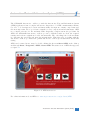
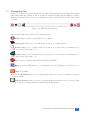
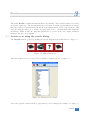
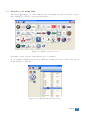
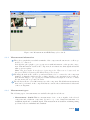
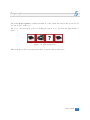
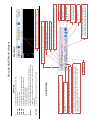
At the top of the screen a gray navigation bar is visible, this navigation bar always stays in sight
while using ATIS. By clicking a button on this bar, quick navigating through ATIS is possible.
When hovering the mouse over an icon, explanatory text about the function of the button will
be shown.
Figure 1.2: ATIS navigation menu
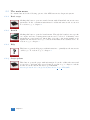
The following buttons are found on the naviagtion bar:
Home brings you back to the main screen of ATIS.
Basic scope brings you to the automotive oscilloscope common menu.
Search brings you to a quick search screen where you can search for information per
brand, model, type and engine code.
Brands brings you the brand selection screen where you can search for information per
brand, model, type and engine code.
New opens a document with the latest additions in ATIS.
Help opens the ATIS and scope documentation in pdf. Requires a pdf reader to be
installed.
Close closes ATIS.
When in the Brands menu a motor management system is selected, an additional button
becomes available:
Active system The last selected motor management system for the selected car is brought
to front, to allow performing further measurements on this system.
Automotive Test and Information System (ATIS)
3