1
•
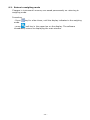
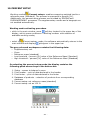
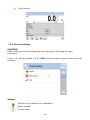
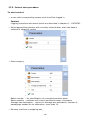
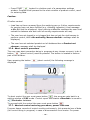
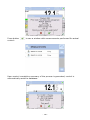
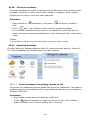
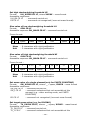
Set batch quantity of a carried out mass control process – touch grey
coloured workspace on balance’s display to open a window and select
group < Settings>. Next select option <
Batch quantity> for
entering quantity of controlled units in a current automatic mass control
process. Accept entered value by pressing
key.
•
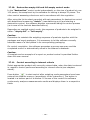
Set <
Low limit> below the value of the smallest (lightest) controlled
part. Set the limit value so that it protects against saving in a final report
mass of a value below the lightest item of the controlled batch, e.g. a half
of a pill.
•
Set <
High limit>value. Set the limit value so that it protects against
saving in a final report mass of a value exceeding the heaviest item of a
controlled batch, e.g. if two pills are simultaneously dispensed onto a
weighing pan. In such case, the software skips the measurements and
continues mass controlling process.
Set <
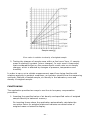
Dosing power> parameter defined in [%] and ranging from
0% to 100 %, nominal mass (Mass), limits for errors: negative - <T1->
(Min) and positive - <T1+> (Max). The error values are determined in %
of nominal mass value. The dosing power, mass and error values are
determined for each controlled product separately.
The errors <T2-> and <T2+> are not to be determined by a user. The
software sets their values as doubled value of errors <T1-> and <T1+>.
Setting procedure of control parameters:
•
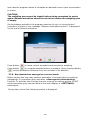
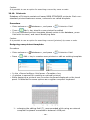
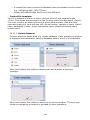
when in the main window press SETUP key, and select <
Databases >,
and < Products>options.
then, select a product entry from the database for which the above values
need to be set. Set required parameters and return to the main menu.
•
Select a product to be controlled from the database <
•
On selecting all applicable settings press
key to start automatic mass
control process.
The mass control process is started automatically, the balance is
automatically tarred, and the feeder starts dispensing the first element
onto balance’s weighing pan.
On dispensing the first element onto balance’s weighing pan, the feeder is
stopped and the dispensed item is weighed. The first stable measurement
result is saved.
On saving a measurement result the mass indication on balance’s display
is zeroed and the automatic feeder is restarted to dispense the following
product onto balance’s weighing pan. As the following product is dispensed
onto the weighing pan the weighing process starts. The procedure is
repeated the same way as in case of the first dosed element.
The cycle is repeated until checking (weighing) all of declared pieces in the
<Batch quantity> parameter.
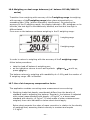
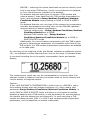
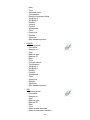
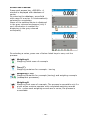
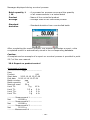
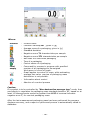
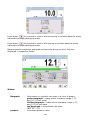
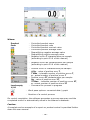
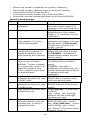
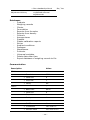
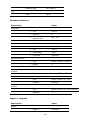
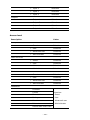
During control process, balance’s display shows on an ongoing basis basic
parameters on the carried out control, i.e.:
− Set standard quantity
− Product
− Average
•
•
•
•
•
- 160 -
>.