1
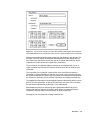
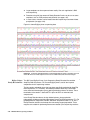
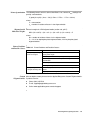
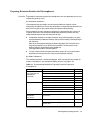
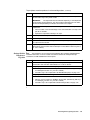
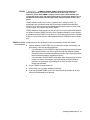
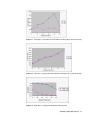
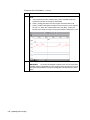
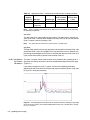
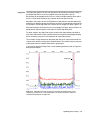
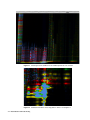
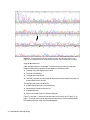
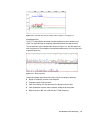
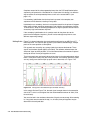
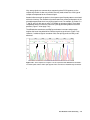
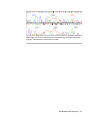
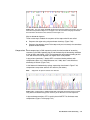
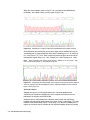
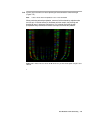
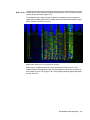
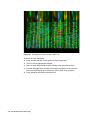
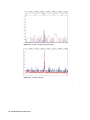
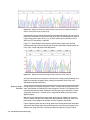
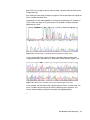
Figure 6-2 Electropherogram of raw data with the dashed vertical line showing the left edge of
the first data peak, which is the recommended position of the Peak 1 Location for this sample
file, i.e., 960 scans.
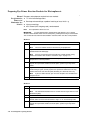
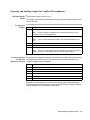
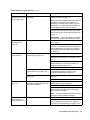
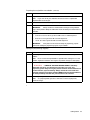
Using Sequencing Analysis Version 2.1
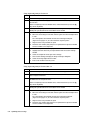
Step
Action
1
Launch the Sequencing Analysis software if it is not already open.
2
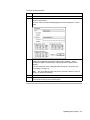
In the Sample File Queue display, double-click the first file to be analyzed to view
the raw data.
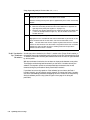
Zoom in completely. From the Window menu, choose Actual Size (or use the c ]
keys on the keyboard).
3
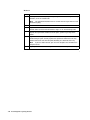
Starting at the beginning of the raw data file, scroll along the data by clicking and
holding the right direction arrow at the bottom of the window.
Continue scrolling until the fist data peak is approximately in the center of the
window.
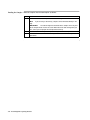
4
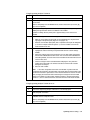
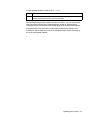
a.
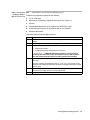
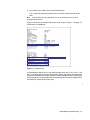
Click and drag in the window to change the cursor to a cross-hair.
b.
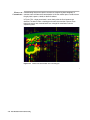
Move the cursor along the data until the vertical dotted line is aligned at the left
edge of the first data peak (Figure 6-2).
c.
Read the scan number (data point) that is reported at the top of the dialog box
(960 in the example shown in Figure 6-2). Use this number as the Primer Peak
Location of the file.
Optimizing Software Settings 6-19